You can override the property data you have in the Edit property page. Before the property data is sent to Sales Channel, it is modified with additional configuration you can apply now. Note that whatever you set right now will apply only the channel where you make edits.
Making edits to single rate plans
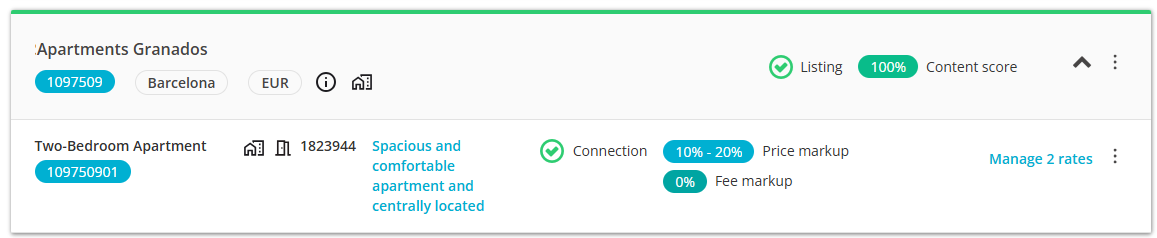
- In Rentals United, go to the Property Settings page. Follow the steps here.
- Click the Manage rates button.
-
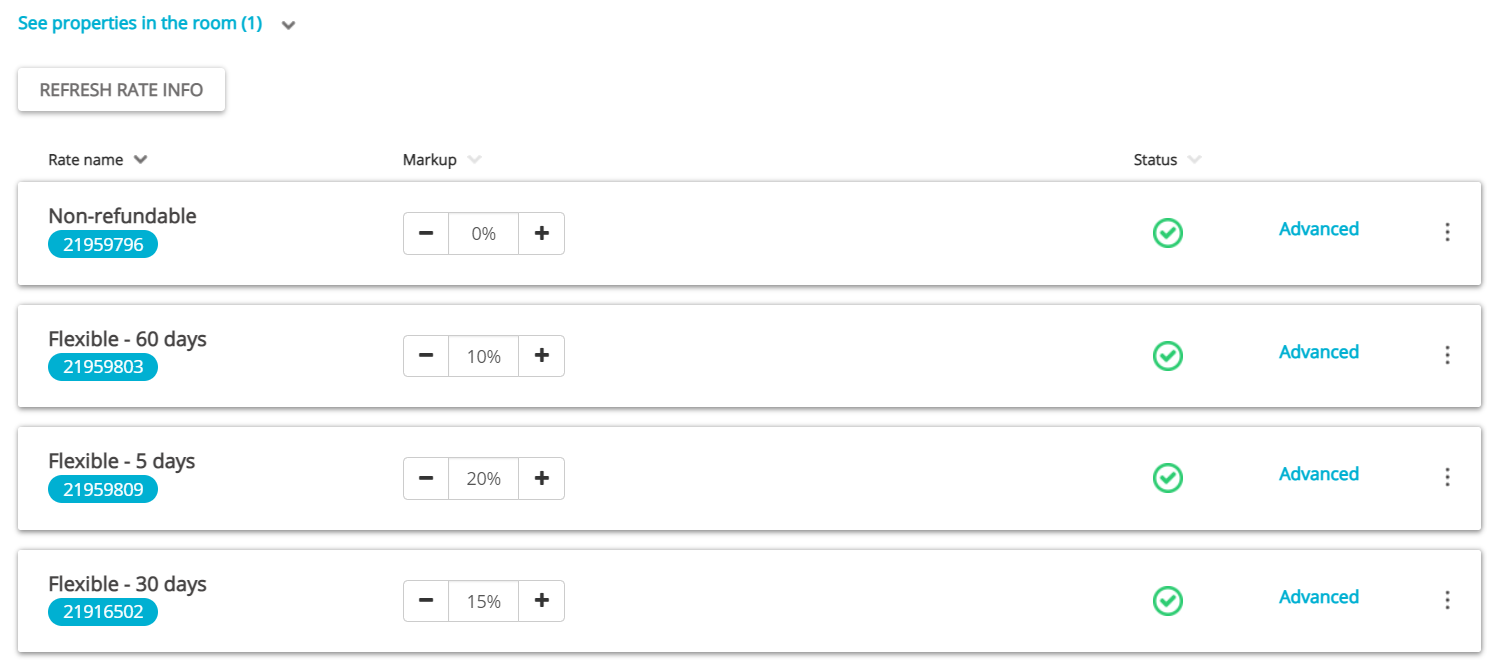
The Management page opens. At this point you can edit the mark-up value. Mark-up indicates the value that the prices in Rentals United should be adjusted by before sending to the channel.
-
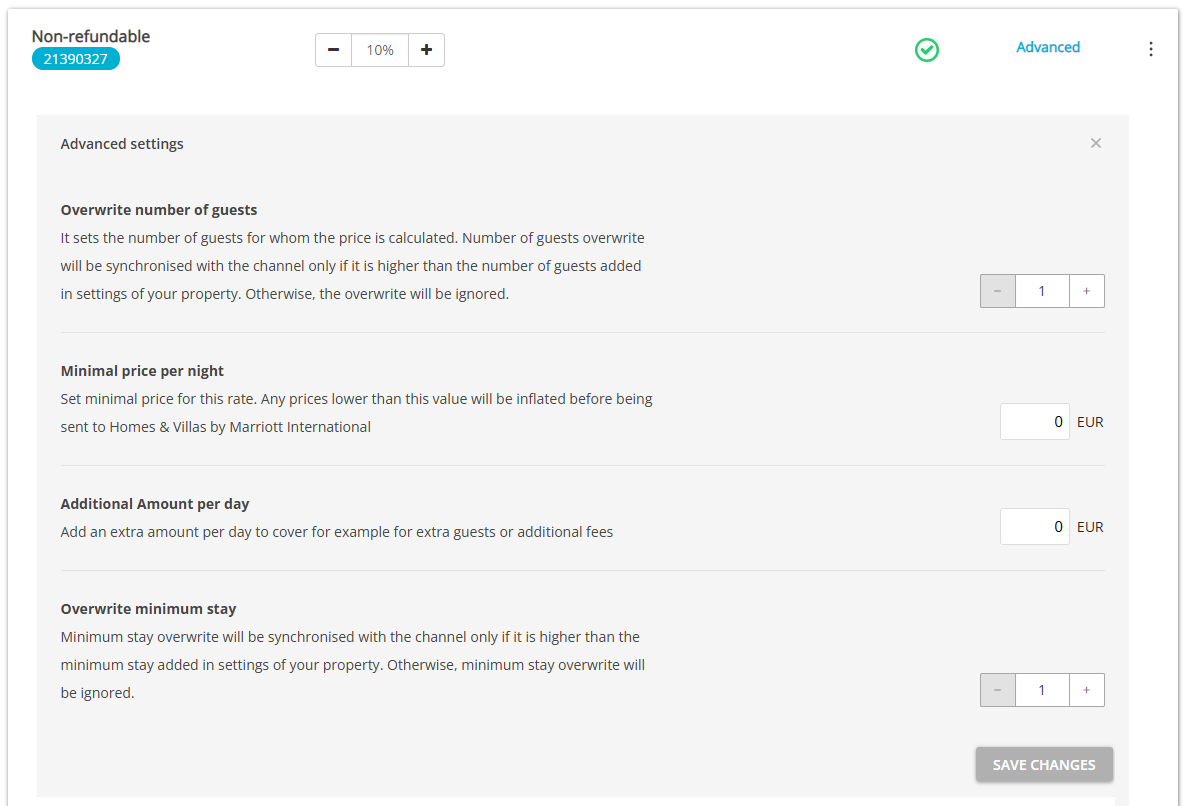
Click the Advanced button to open Advanced settings.
-
Click the Save changes button.
Note: Changes introduced here will not affect any other channel than Agoda and will only apply to this rate.
Editable details in rate plans
Overwrite number of guests - it should be set to 1. Changing this setting causes recalculation of the prices for a new number of guests (only if the value from this field is higher than the value set for this property in Standard number of guests in Step 5: Price and availability).
Example:
- Standard guests: 3
- Daily price: 100
- Extra guest price: 33
- Max. number of guests: 5
Total for 1 - 3 guests: 100
Total for 4 guests: 133
Total for 5 guests: 166
If you set 'Overwrite number of guests' to 4.
- Total for 1 - 4 guests: 133
- Total for 5 guests: 166
If you set 'Overwrite number of guests' to 5.
- Total for 1 - 5 guests: 166
Minimal price per night - you can set up a minimum price for this property in Agoda; then, in case this property's prices in Step 5: Price and availability are set below this level, they will be increased.
Additional amount per day - you can specify an additional amount that will be charged each day of the reservation. It may cover for additional services available at this rate
Overwrite minimum stay - it is possible to overwrite the property's minimum stay in this particular rate.
Example: Minimum stay from Monday to Friday is 2 nights, from Saturday to Sunday is 4 nights.
- If you set the overwrite minimum stay value to 1 or 2, nothing will happen.
- If you set the overwrite minimum stay value to 3, only the Monday to Friday season will be overwritten.
- If you set the overwrite minimum stay value to 5, the Monday to Sunday season will be overwritten.