LOS pricing model 
Pull_ListPropertyPrices_RS/Prices/Season/LOSS
In LOS pricing, it is possible to specify fixed nightly pricing plans for different numbers of nights and (optionally) for different number of guests. It means that your prices can depend on the number of booked nights and guests staying at your property.
Here is how LOS pricing works. For example, let's say your Daily price is 200 USD. If you continue using the Daily price model and one guest decides to book your property for three nights - the total is 600 USD.
In case you use LOS pricing, you can easily set that one guest pays a different amount per night, depending on how many nights were booked. For example, 1 guest can pay 200 per night if a 3-night stay was booked - the total is 600 USD. But you can easily set that 1 guest can pay 190 USD per night if a 4-night stay was booked - the total is 760 USD.
You can do the same for the number of guests and set different prices for different cases. You can see more examples as well as how to correctly set it at LOS pricing.
FSP pricing model
Pull_ListPropertyPrices_RS/FSPSeasons
FSP pricing model can be used if you are a PMS or an API user. It defines a fixed price for the whole stay, that is for an exact number of guests and nights.
-
Note that it will not be possible to make a reservation for a period in which prices are not defined.
-
Note that FSP pricing does not respect Standard number of guests or Maximum number of guests. Whatever is provided as the FSP records will be respected.
Example 1: Your standard number of guests = 4 and you provided prices only for 1 and 2 guests.
Result: The reservations with 3 and 4 guests will not be possible.
Example 2: Your maximum number of guests = 4 and you provided prices only for 5 and 6 guests.
Result: The reservations with 5 and 6 guests will not be possible.
Daily price model
Daily price
Pull_ListPropertyPrices_RS/Prices/Season/Price
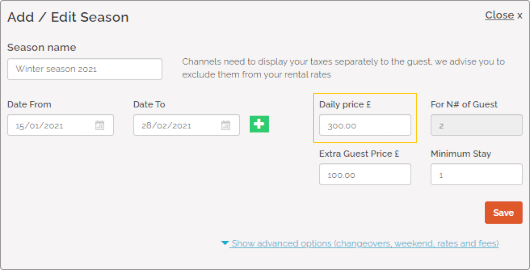
Daily price is the standard way of setting prices. It indicates the base price per night for the Standard number of guests.
Standard number of guests
Pull_ListSpecProp_RS/Property/StandardGuests
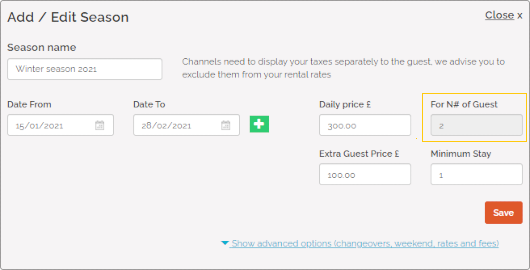
Standard number of guests refers to the maximum number of guests included in the Daily price for whom the price does not change. If more guests than specified book a stay, the extra guests will be charged with the price set in the Extra guest price element.
Extra guest price (N/A)
Pull_ListPropertyPrices_RS/Prices/Season/Extra
Minimum stay
Pull_ListPropertyMinStay_RS/PropertyMinStay
Minimum stay indicates the minimum number of days a reservation can be made for. Guests will be not be able to book your property if they want to book stays shorter than minim stay. This value is mandatory to provide. The Minimum stay value is used for the availability check.

Weekend pricing
Pull_ListPropertyPrices_RS/Prices/Season/Price
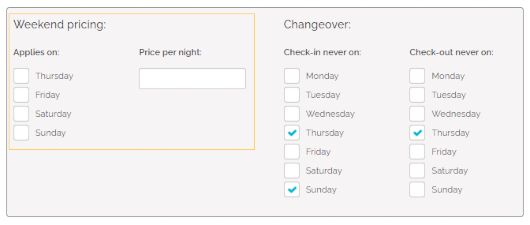
Weekend pricing refers to a specific type of pricing rules that are applied on selected weekend days only. If the weekend-specific pricing is set and the reservation matches specified criteria, then the Weekend pricing will be applied instead of the Daily price.
Occupancy pricing (N/A)
Pull_ListPropertyPrices_RS/Prices/Season/EGPS
Complimentary topics
Discounts
Pull_ListPropertyDiscounts_RS/Discounts/LongStays
Pull_ListPropertyDiscounts_RS/Discounts/LastMinutes
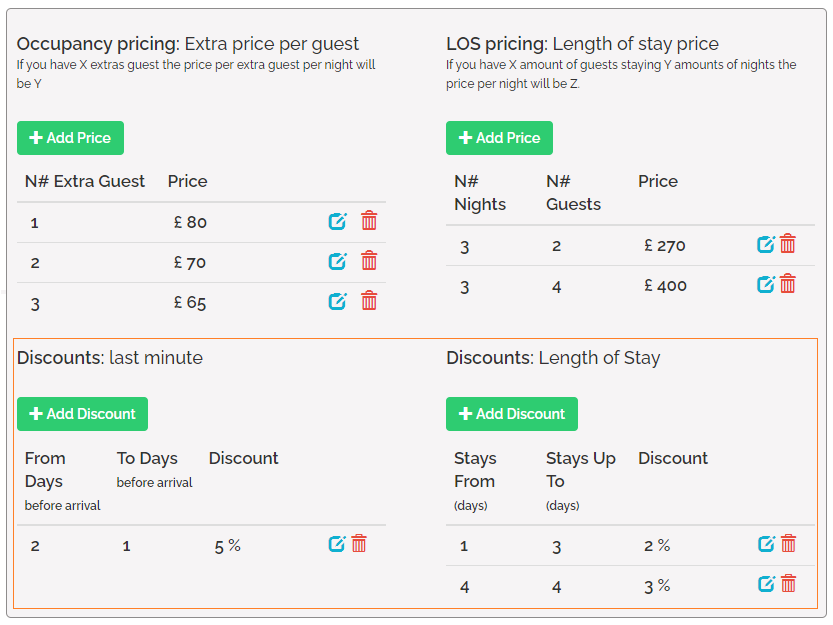
Discounts are applied in order to deduct certain amount from the price, provided the specified requirements are met by the reservation. Currently, there are two types of discounts:
LOS discount may be applied when criteria specified for the length of stay are met. For example, LOS discount may apply only for 3-days stays. Last-minute discount on the other hand is applied if the reservation is made within the specified time before the check-in day.
Calendar
Pull_ListPropertyAvailabilityCalendar_RS
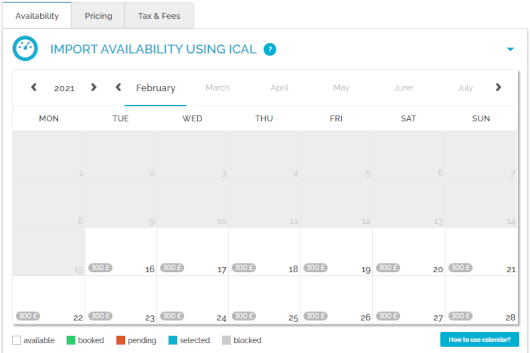
Calendar stands for the property's availability to rent. You can check here the availability of your property in the selected time frames. Once a reservation is inserted in Rentals United, the availability in the calendar gets blocked for this period. The calendar is updated automatically every time the availability of the property changes or at predefined times to remain up-to-date.
Preparation Time Before Arrival (N/A)
Pull_ListSpecProp_RS/Property/PreparationTimeBeforeArrivalInHours
Changeover restrictions (N/A)
Tax
Pull_ListSpecProp_RS/Property/AdditionalFees
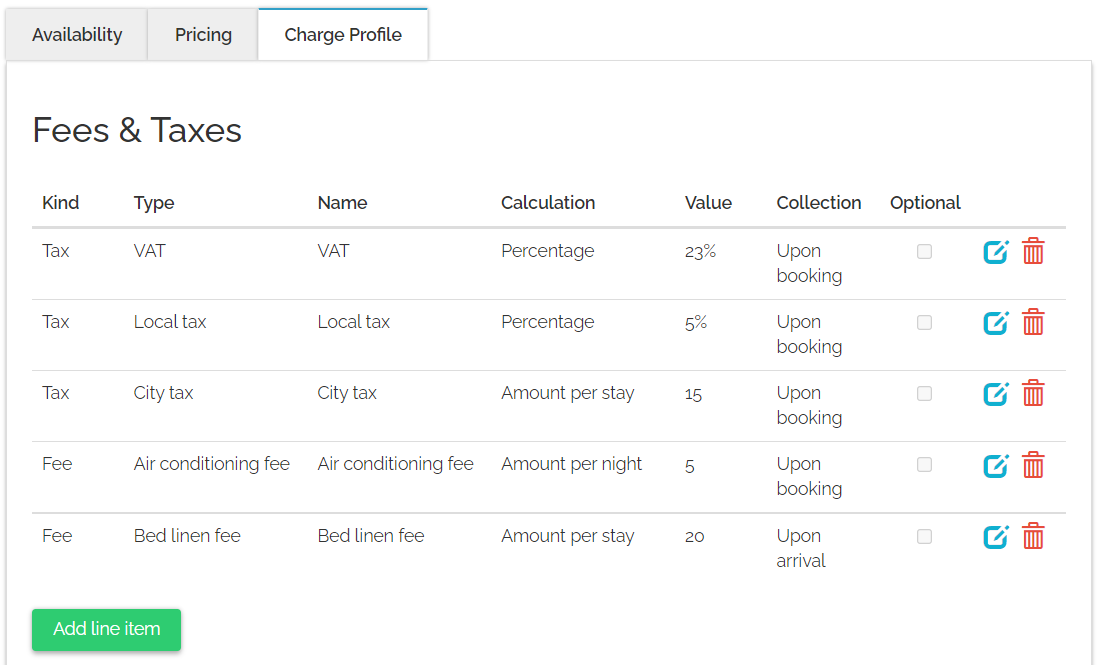
Tax refers to mandatory charges legally levied on particular types of goods, services and transactions, paid as a contribution to the state’s revenue, for example VAT or city tax.
Fee
Pull_ListSpecProp_RS/Property/AdditionalFees
Fee refers to mandatory or optional charges paid in exchange for particular services. These include:Charges for additional services, for example Internet access or shuttle.
Fees defined by local governments that do not fall into the tax category, for example environmental fees.
Down payment (N/A)
Pull_ListSpecProp_RS/Property/Deposit
Security deposit
Pull_ListSpecProp_RS/Property/SecurityDeposit
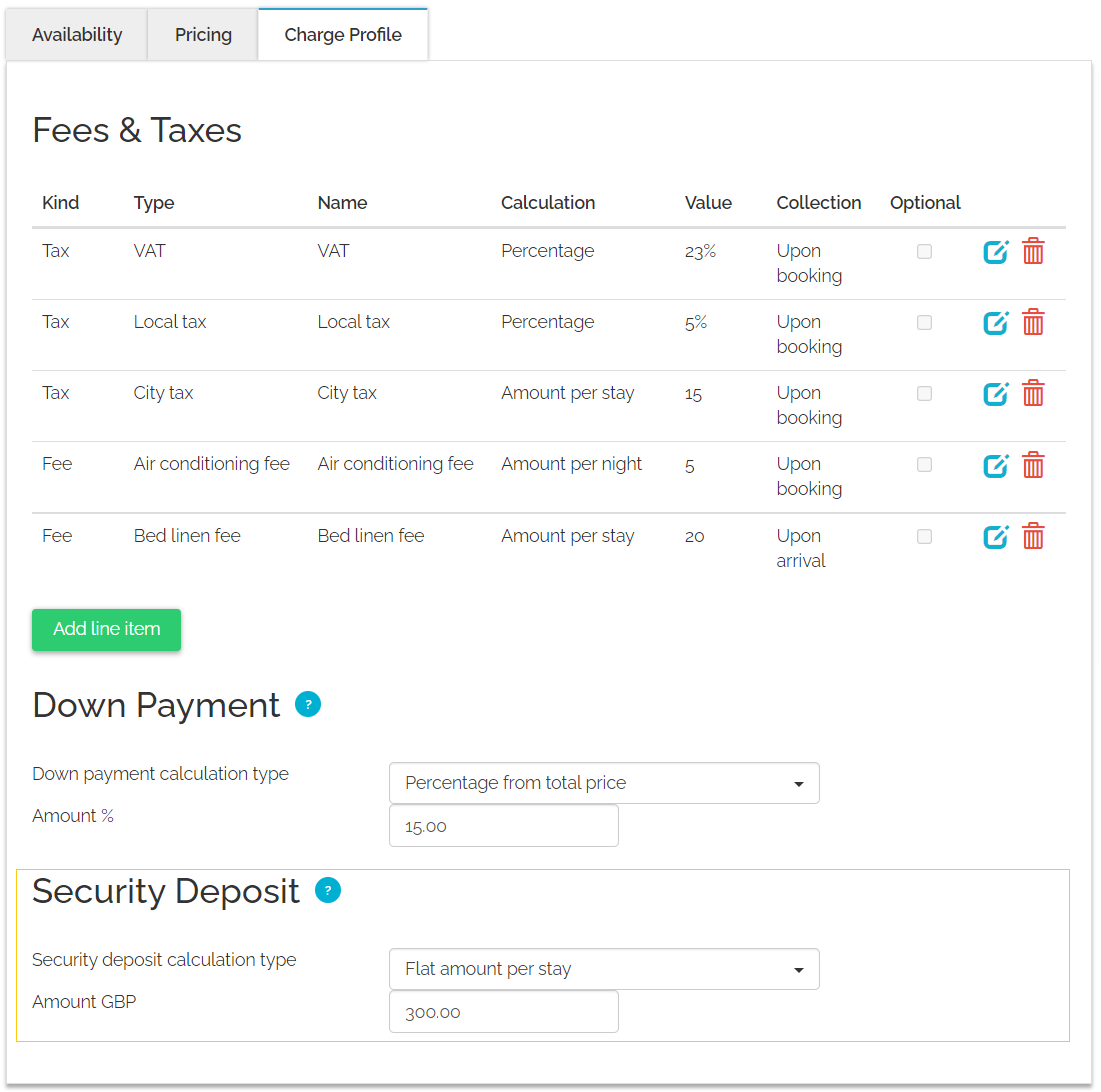
Security deposit is a mandatory or optional refundable charge the guest needs to pay to cover for potential property damages.