How to close or open my property’s availability?
Open the app.
Tap the Properties tab.
Select a property from the list.
-
Tap the Edit availability button.
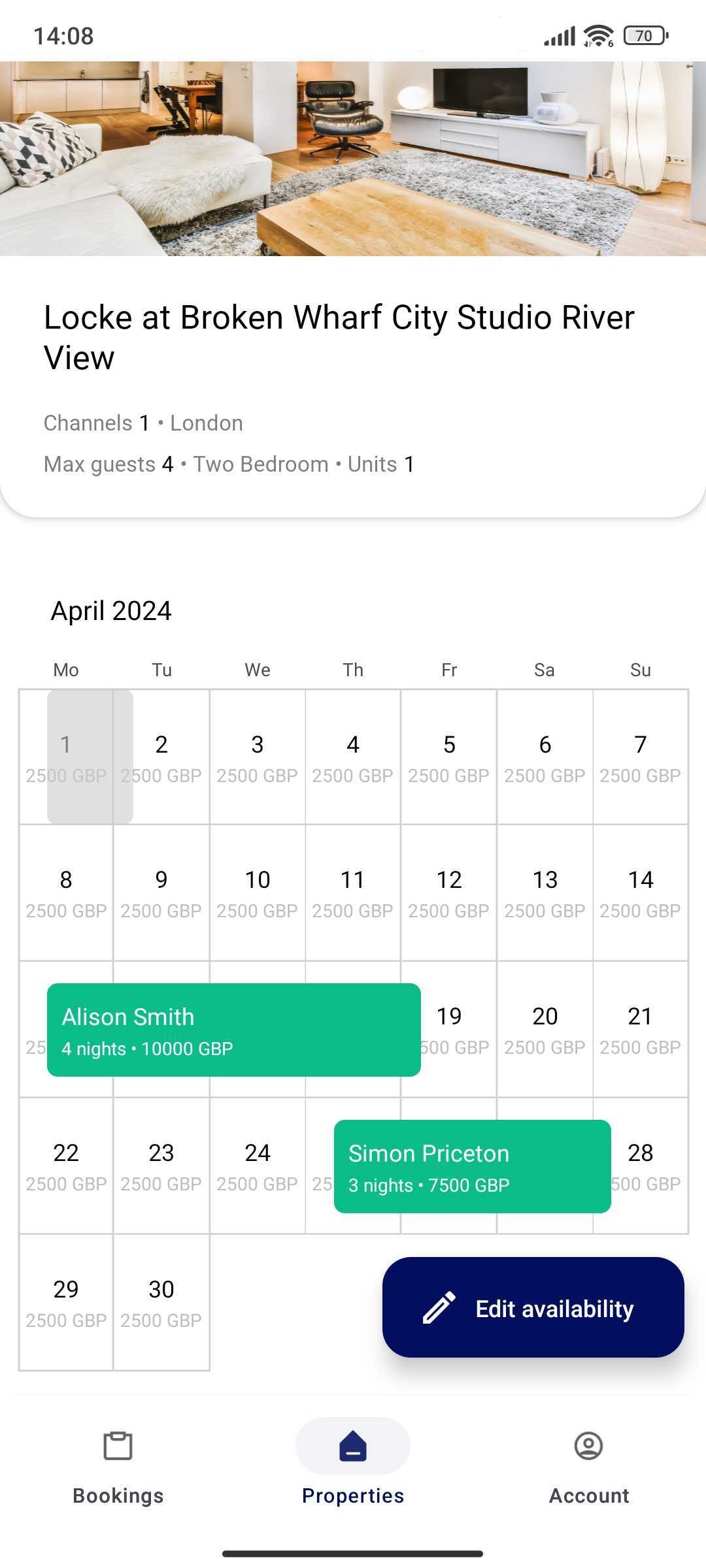
-
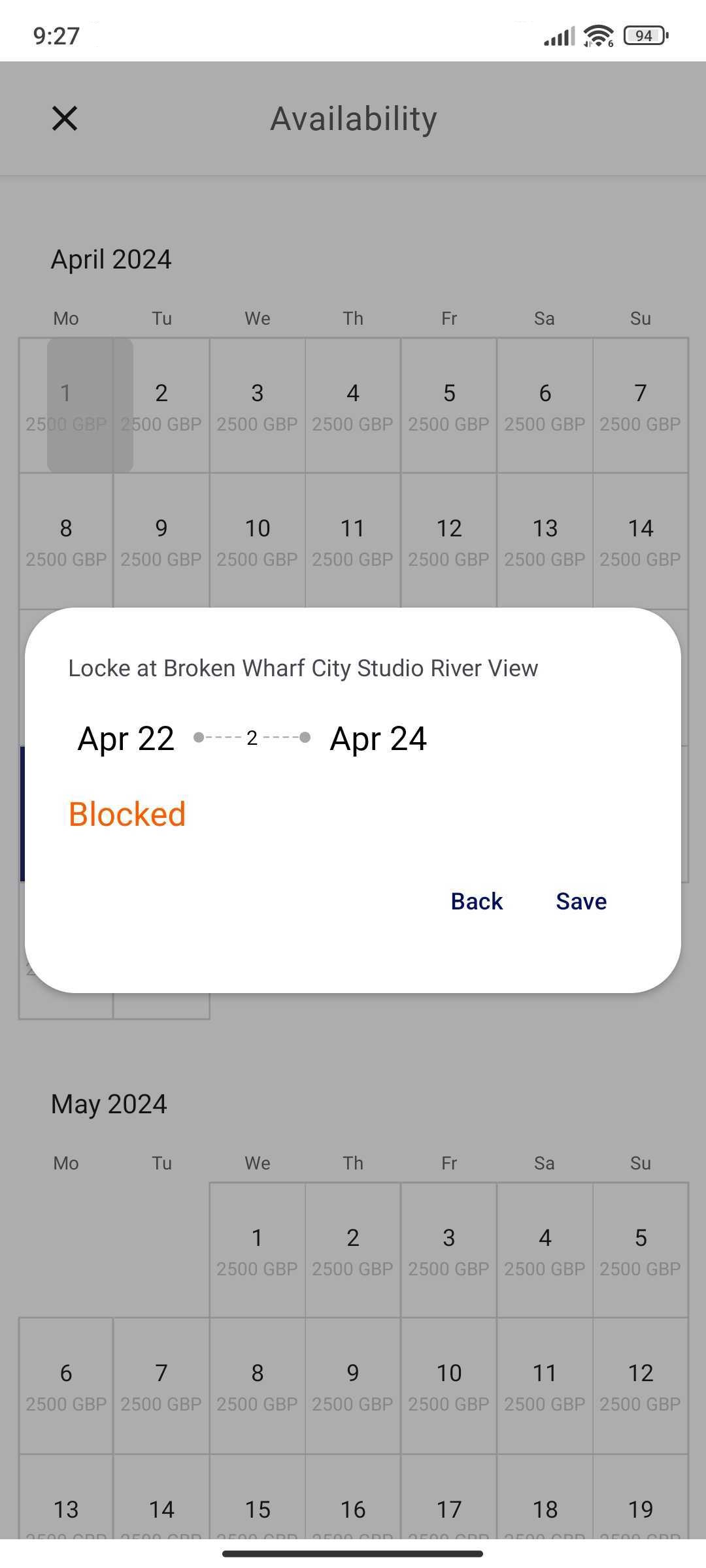
Select the range you would like to close availability for. Tap the start date and the end date.
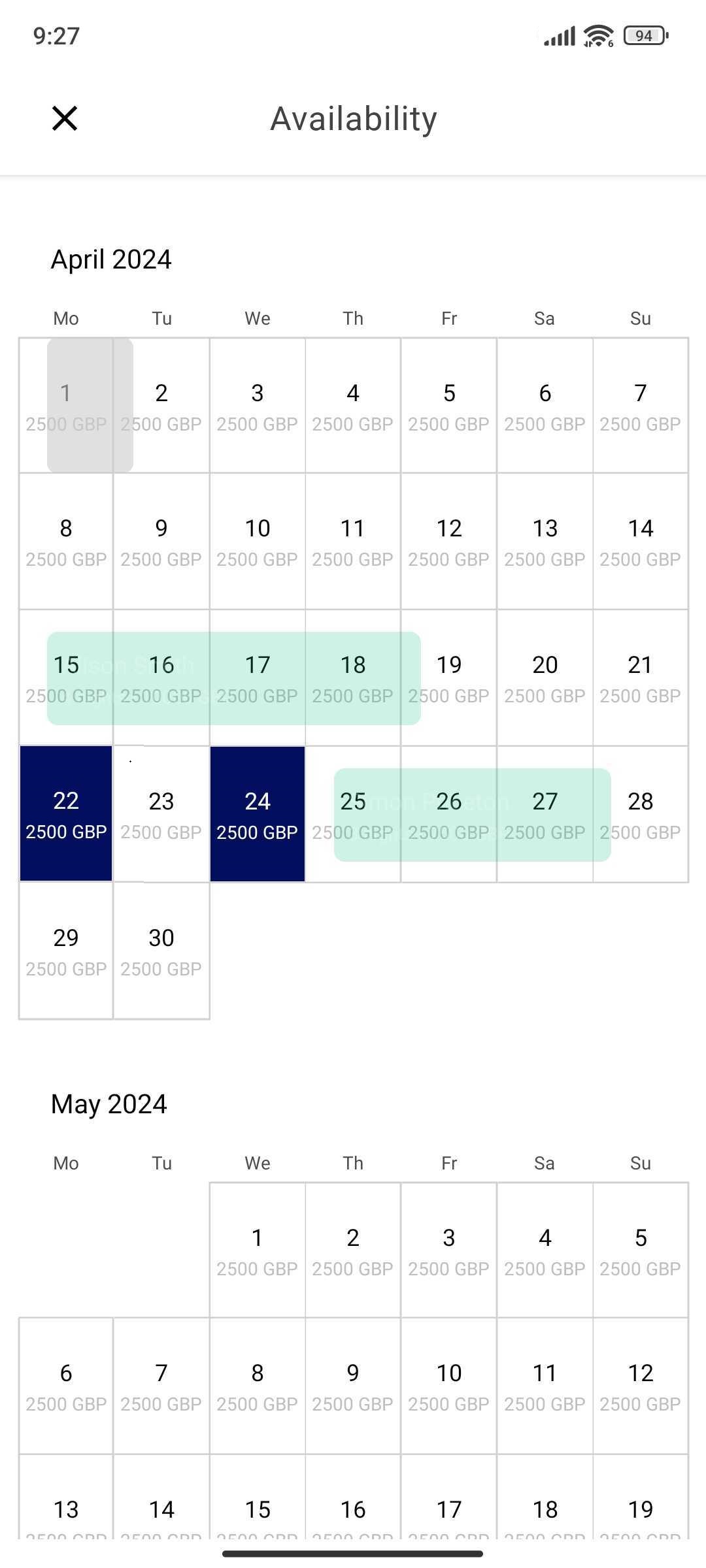
-
Change the availability status. If you want to close the availability, choose the Blocked status.
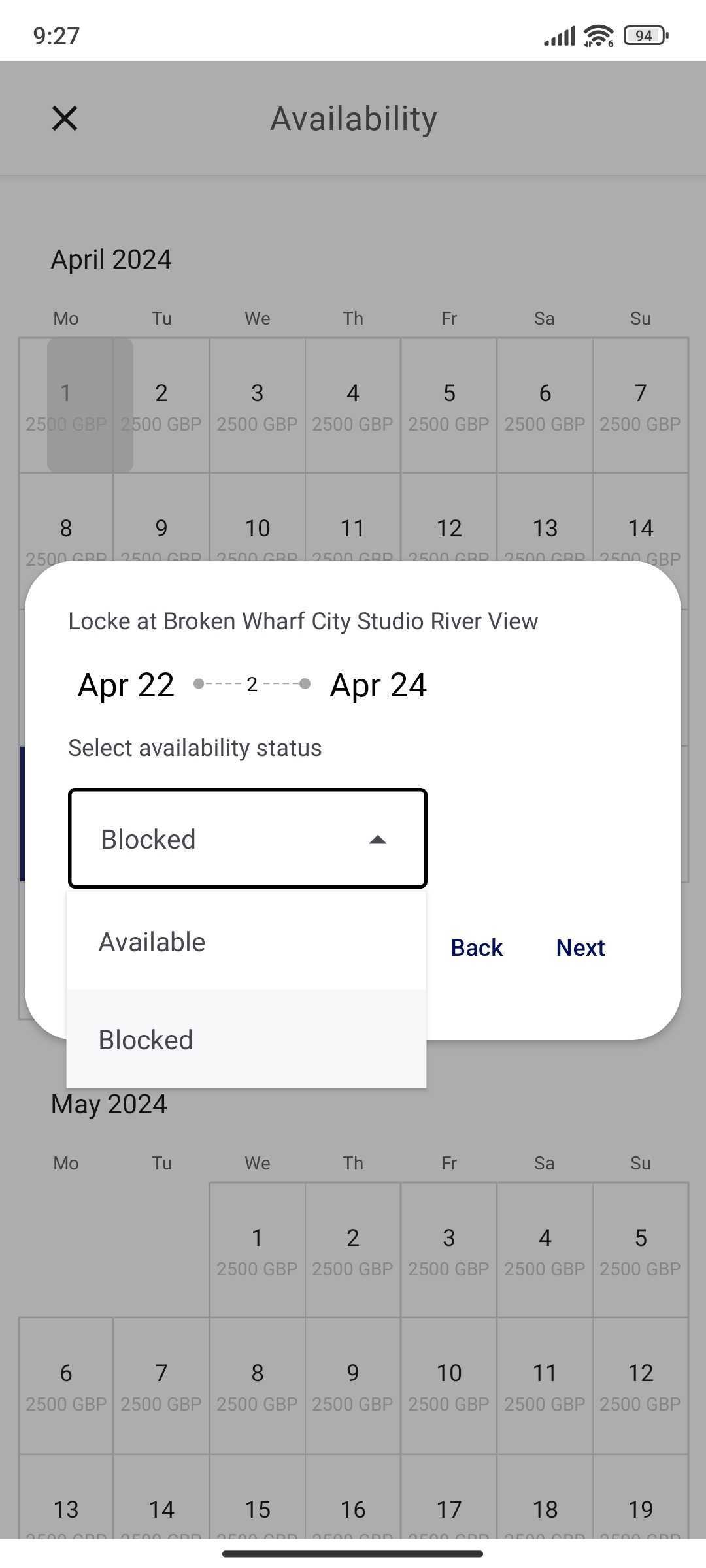
-
Tap Save to save the changes.
-
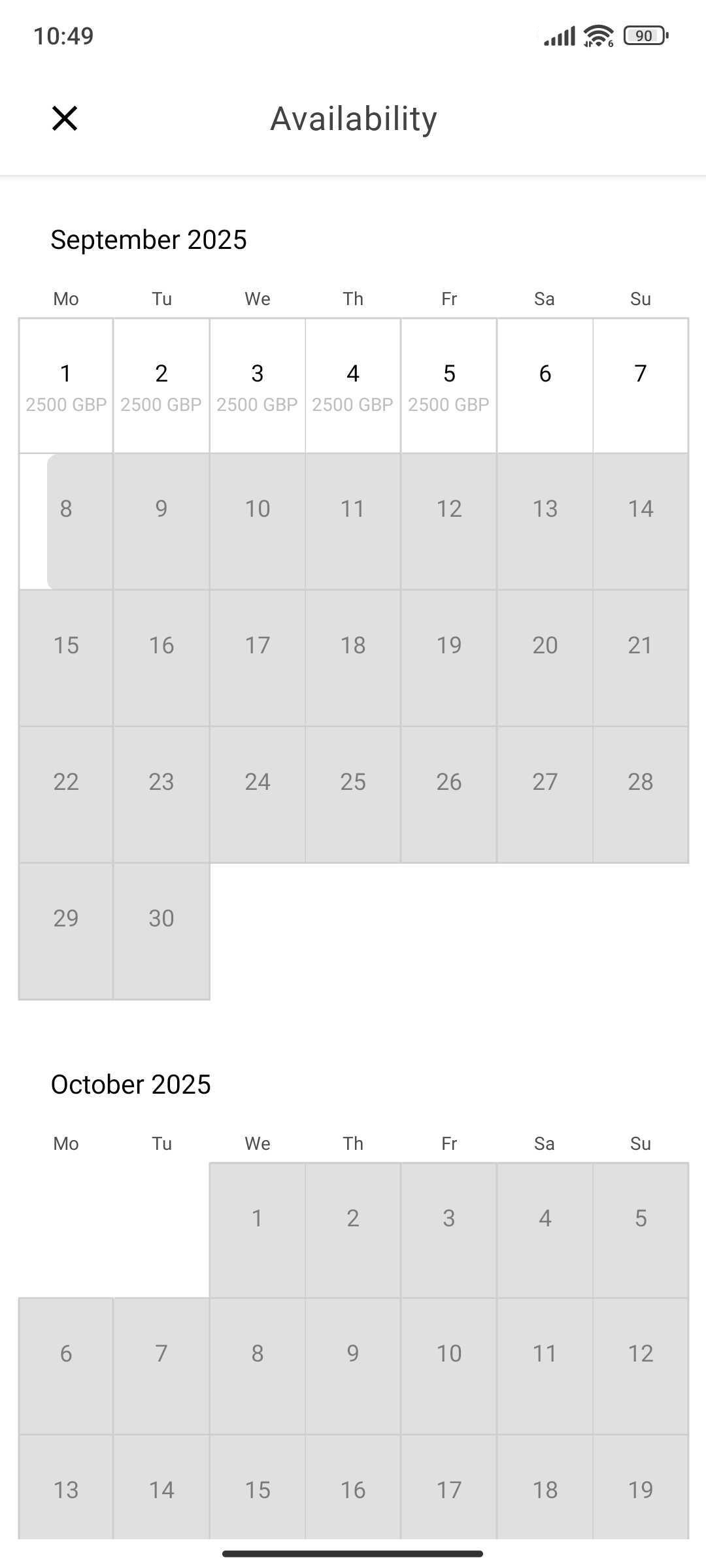
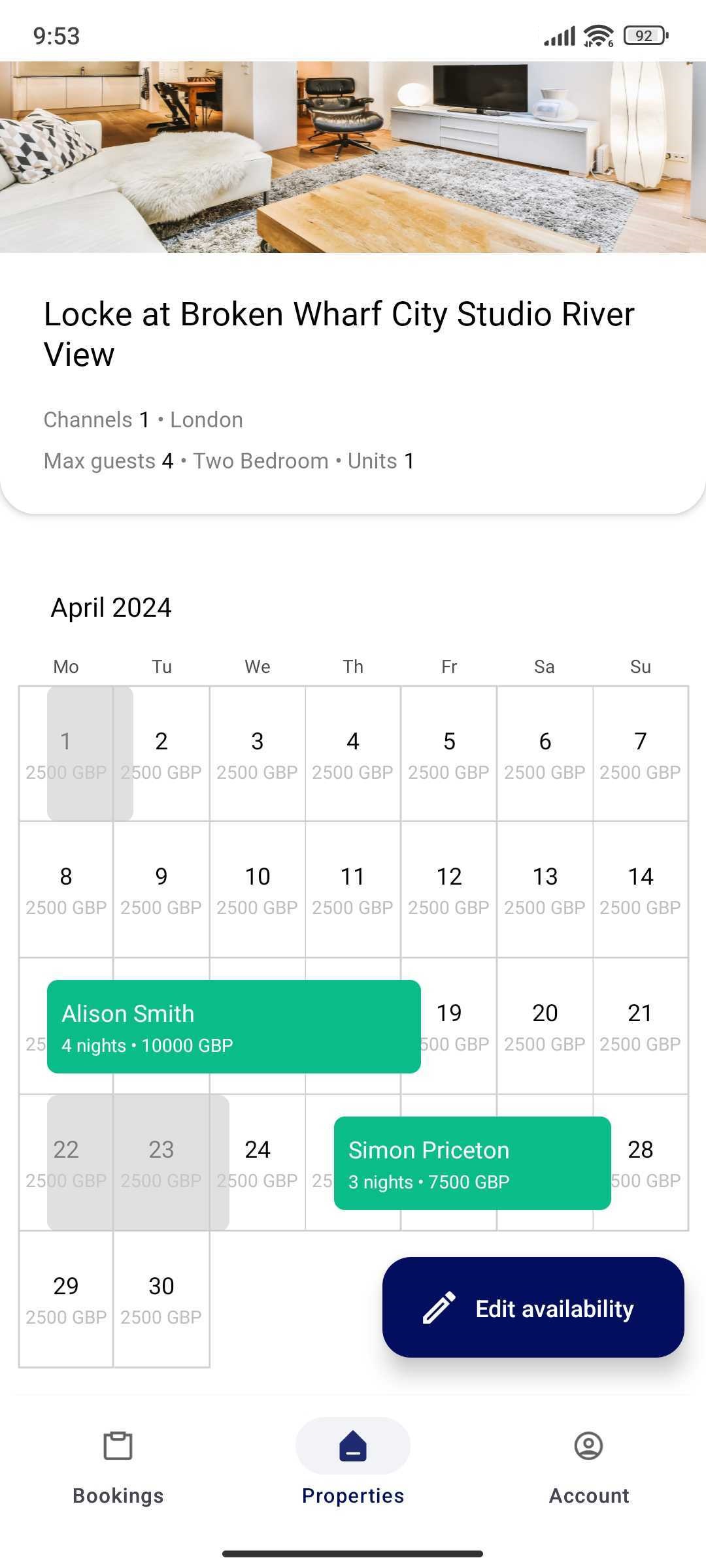
The blocked period is greyed out.
Can I change the price in the Rentals United App?
Currently, no. In Rentals United App you can only view the prices that have been set in the web platform.
I can't see the price in the calendar
If you can't see the price in the calendar, then it means there was no price set for this date. It can result in two types of situations:
Neutral: If the blocked period (greyed out) does not have the price, it should not cause any issues. See the period that starts on 8 Sep.
Negative: If you can't see the price on the open (available) dates, then you should block that period or set the correct price. See the period from 6 Sep - 7 Sep.