In order to send emails from Wordpress via your individual email address, you need to configure the SMTP settings. This will allow your guests to send messages to your email via Contact form as well as you to reply to your guests messages.
-
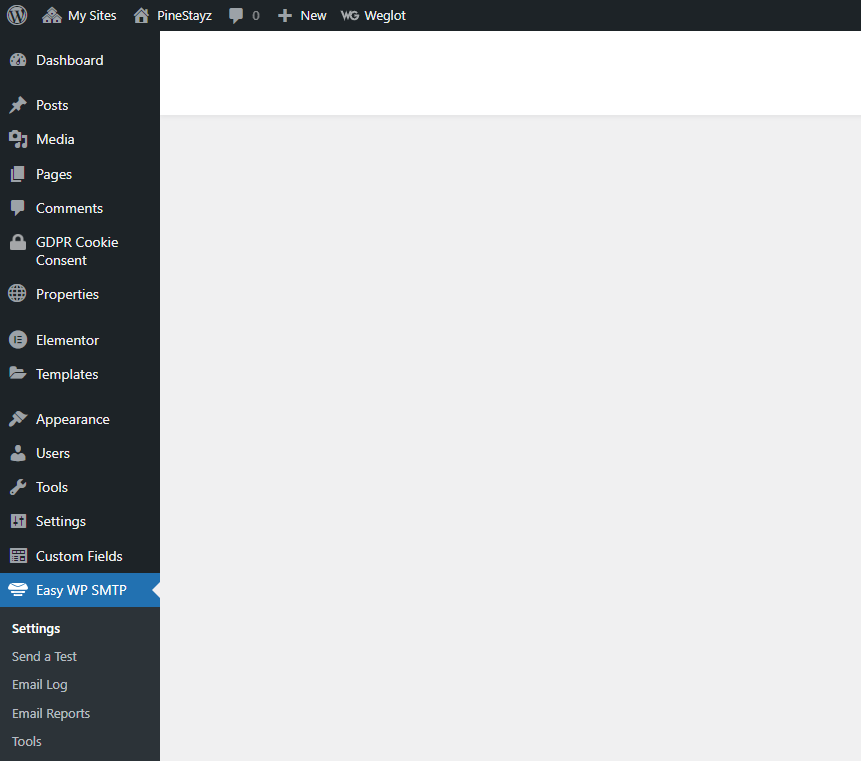
Go to Wordpress Admin and open the management menu.
-
Select Easy WP SMTP.
-
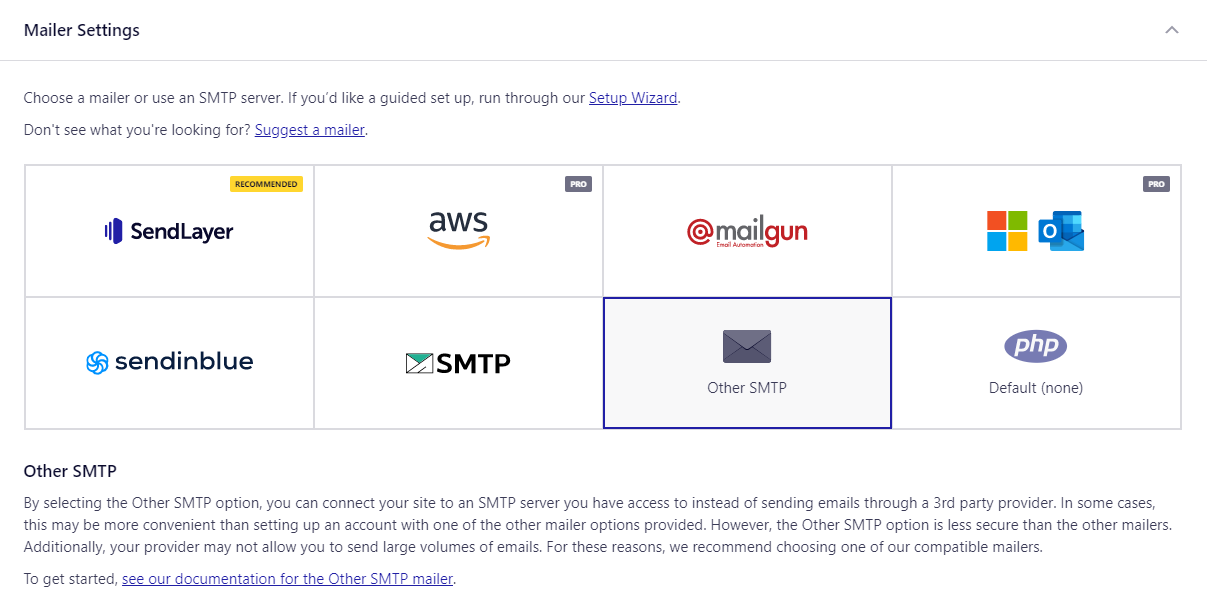
Once you are in Easy WP SMPTP, click the Settings tab on top of the page and scroll down to the Mailer Settings section. Configure the SMTP settings. You can launch the wizard that will help you go through these steps by clicking on the Setup Wizard link.
If your email client is included in the list, then select it and follow the instructions displayed on the screen.
If you are using another email client, choose Other SMTP. You can search for the SMTP configuration of your service over the Internet or check this website (for Hotmail and Yahoo configuration details). You can also contact your service provider and obtain details directly. If you want to configure SMTP for Gmail, click the link below.
Show me quick Gmail configuration-
Choose Other SMTP.
-
Provide your email information.
In the Mailer Settings:
-
Make sure that you have enabled 2-Step Verification before you start.
-
Make sure that POP settings are enabled.
-
SMTP Host: smtp.gmail.com
-
Type of Encryption: TLS
-
SMTP Port: 587
-
SMTP Authentication: On
-
SMTP Username: Your email address you're configuring SMTP for.
-
SMTP Password: App password. Read how to generate a dedicated app password for Gmail and use it in this field.
In the General Settings:
-
From Name: The name that will display to your guests (replaces your email From Name if the toggle is on).
-
From Email Address: The email address the guest will receive the message from (replaces your email From Email Address if the toggle is on).
-
-
-
Click Save Settings.
-
Go back to Easy WP SMTP in the main menu and click Send a Test.
Provide some test email address to verify if emails are correctly sent from the email address you configured in SMTP Username. Click Send test email. You will be informed if the message was sent successfully or if there was an error.
In case of an error, make sure that your configuration is correct. You can also troubleshoot or post on this forum. If the error persists, contact the Rentals United Support Team.
If the test email went through correctly, go to your Contact page and use the form to send you a message. Check the email address you configured in SMTP Username. If your emails has arrived, it means the configuration was successful.