Will I see new bookings immediately in real time?
Yes. New bookings will show up in the Rentals United App in real time. There may occur temporary short delays in synchronisation, however they should not last more than a couple of minutes. If you cannot see new bookings, please contact the Rentals United Support Team.
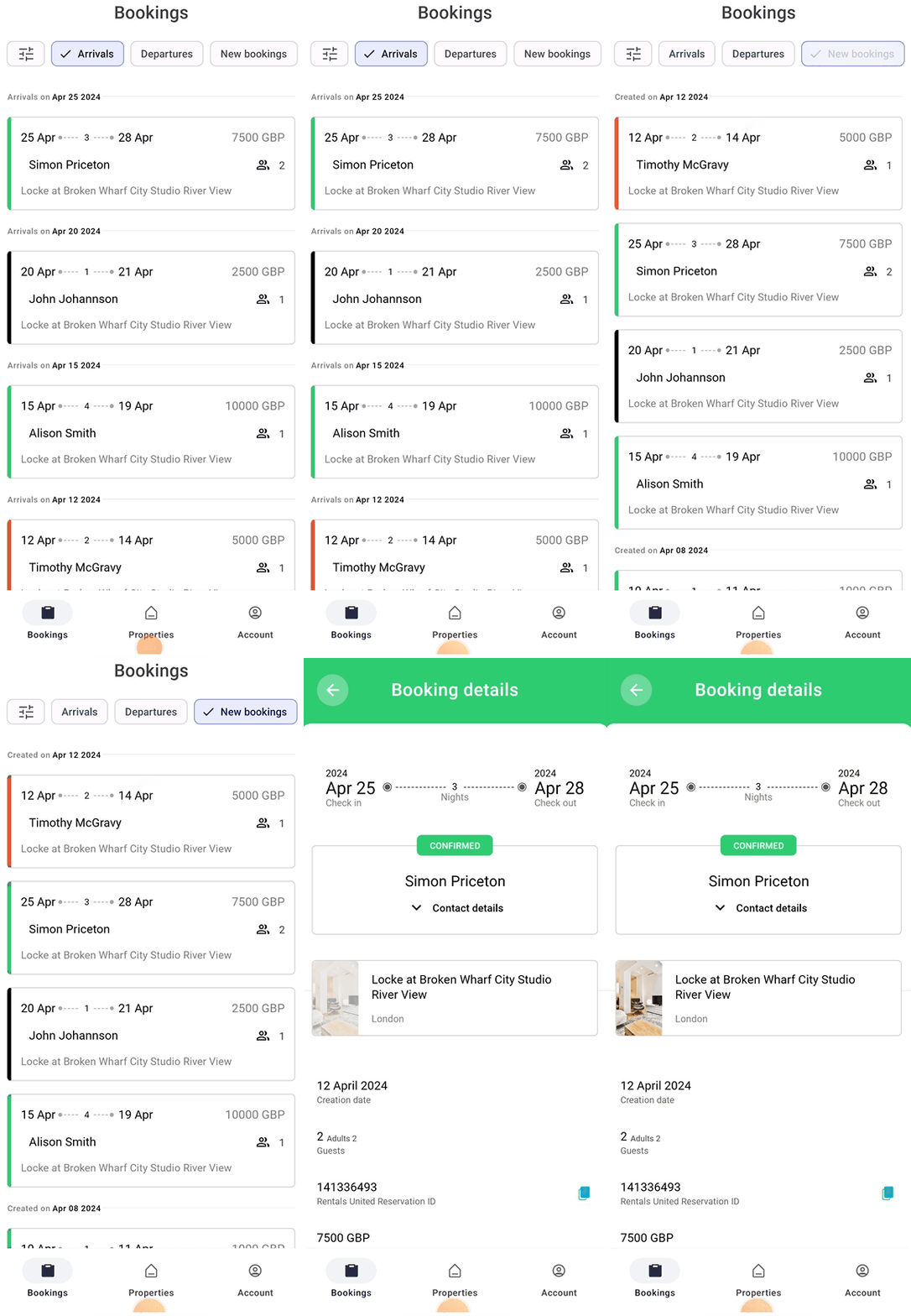
How to check the newest bookings?
- Open the app.
- Tap the Bookings tab.
- From the quick filters, select New bookings.
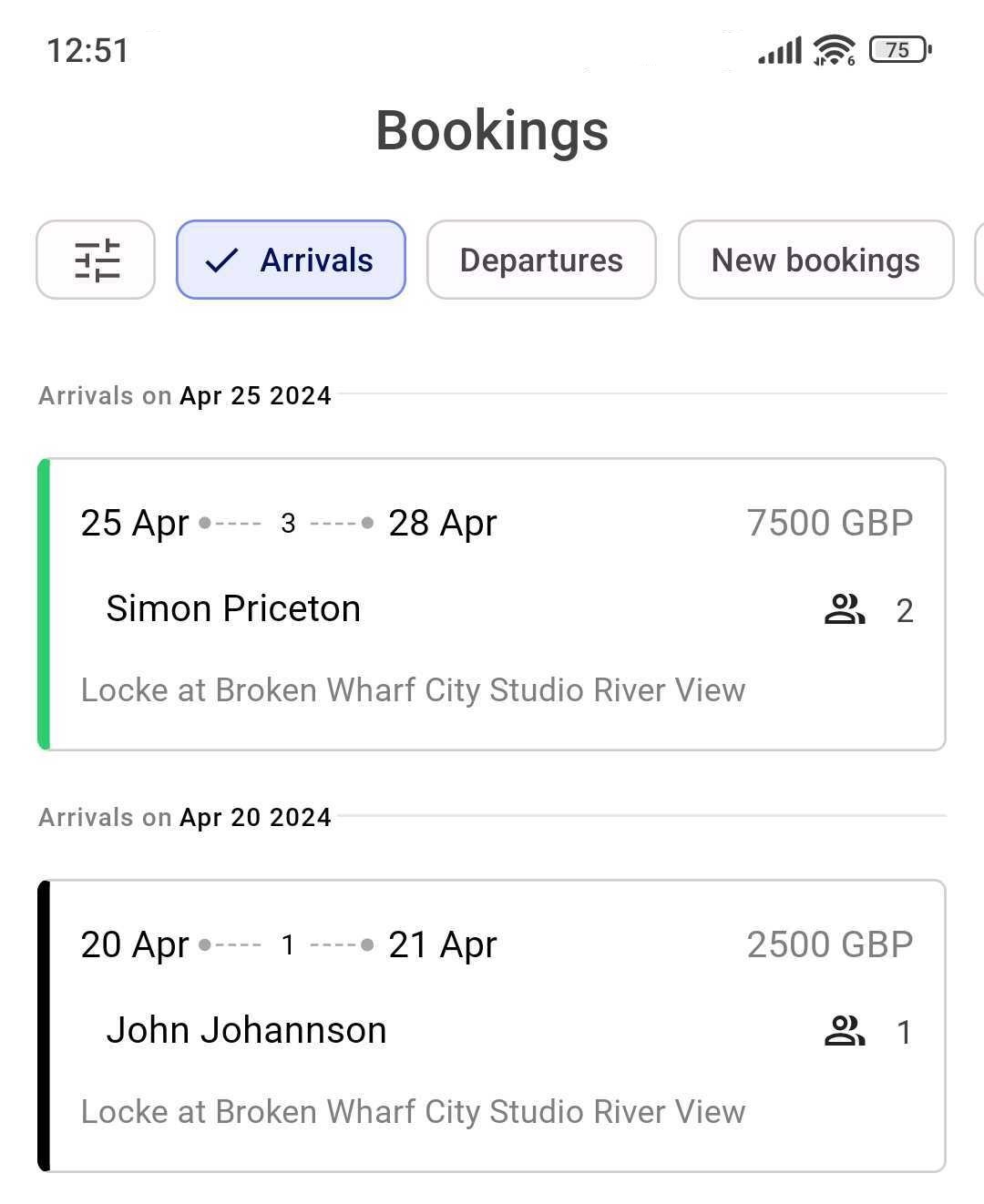
How to see incoming arrivals?
- Open the app.
- Tap the Bookings tab.
- From the quick filters, select Arrivals.
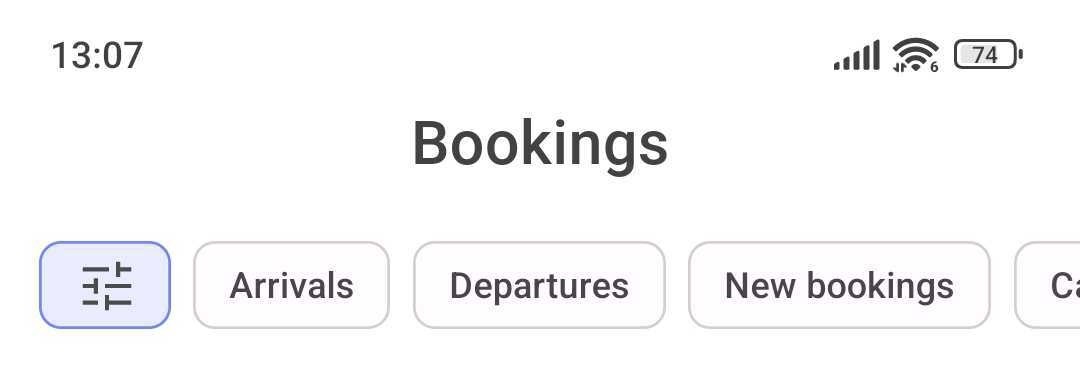
How to filter out bookings from a specific sales channel?
- Open the app.
- Tap the Bookings tab.
-
Select Advanced filters.
- Scroll down to the Sales channels filter.
-
Tap the bar to see the list of available channels.
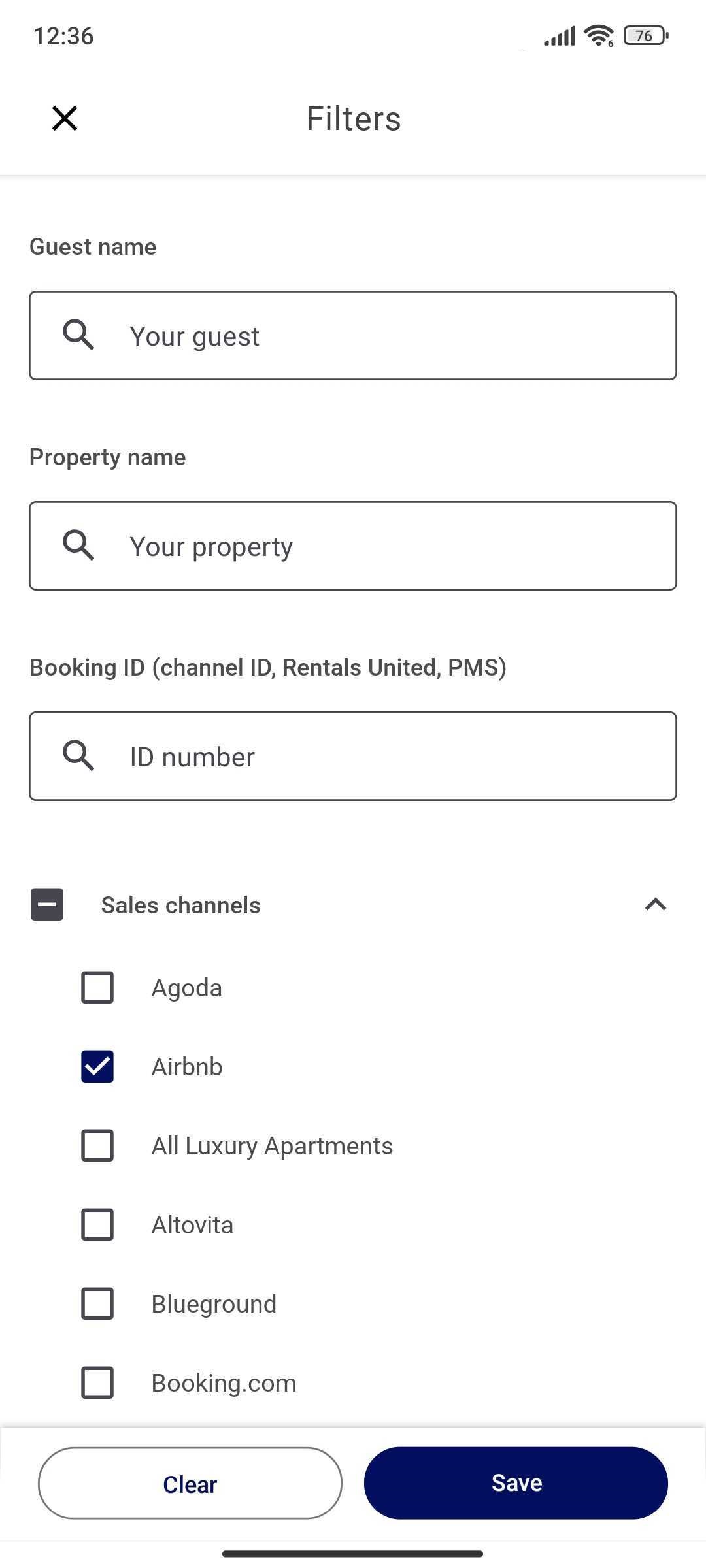
- Select the channels you want to view the bookings from.
- Click Save.
- Now you can see bookings coming from the selected sales channel only.
How to filter out bookings from specific time?
You can filter out bookings that were created in a specific time range, but also that have their arrivals and / or departure dates set to a specific time.
- Open the app.
- Tap the Bookings tab.
-
Select Advanced filters.
- Scroll down to the Date range filter.
-
Select the date ranges in one of the available filters: Arrive date range / Departure date range / Booking creation date range. Selecting more than one date range may result in inaccurate results.
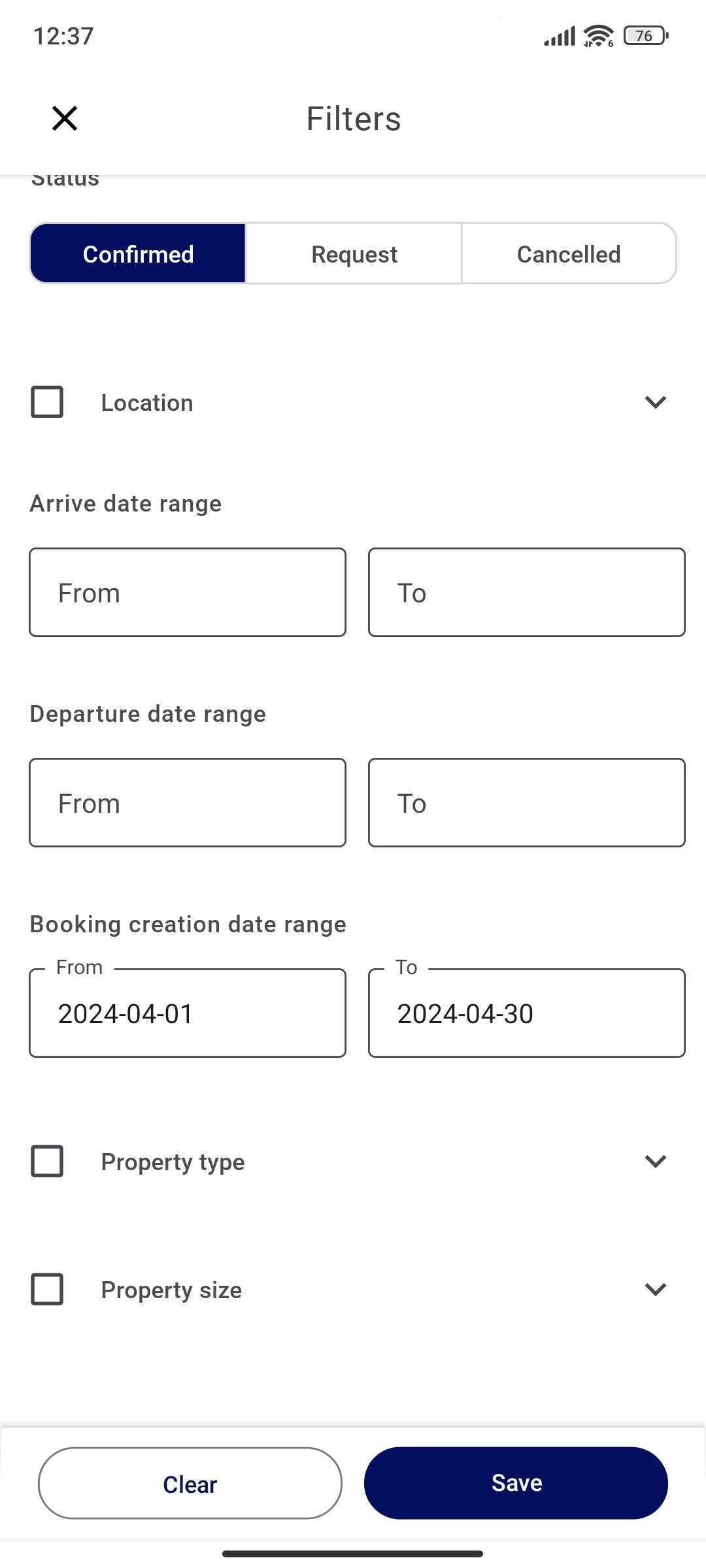
- Click Save.
- Now you can see bookings that match the selected date range criteria.
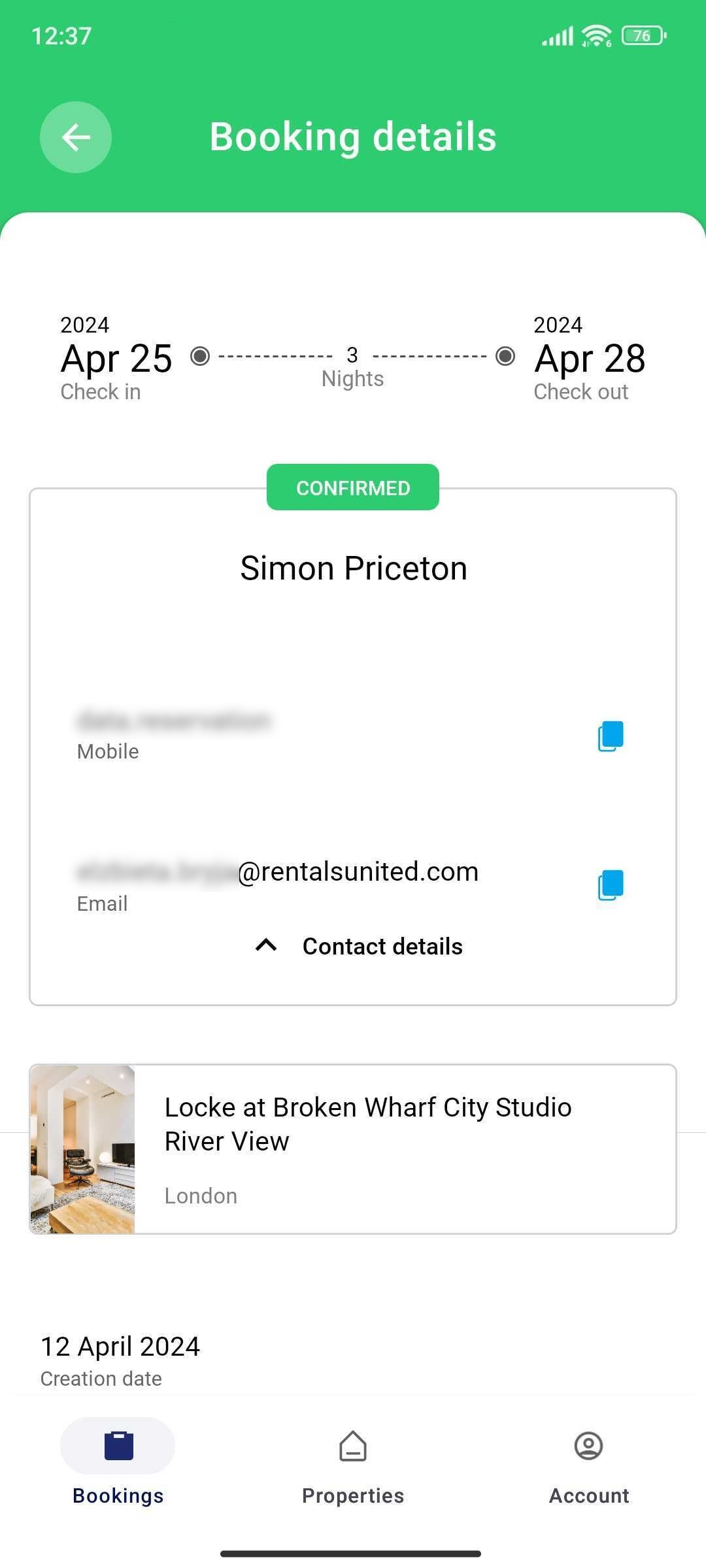
How to check the booking status?
- Open the app.
- Tap the Bookings tab.
- Open any of the existing bookings.
-
The booking status is displayed above the guest name.
Where can I find my guest’s contact details?
- Open the app.
- Tap the Bookings tab.
- Open any of the existing bookings.
-
Tap the Contact details label.
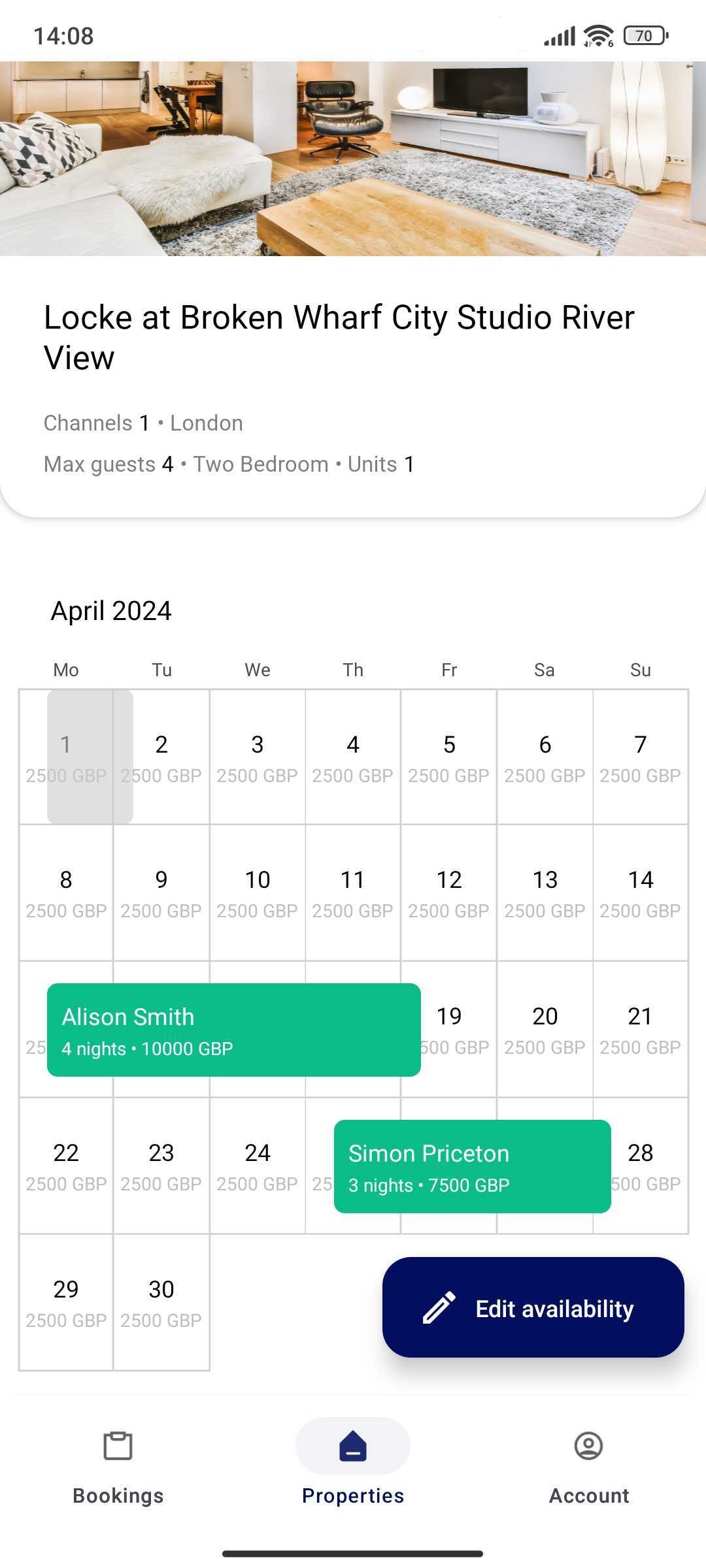
Where can I see the full calendar with bookings?
The multicalendar feature is under work and soon will be available in the Rentals United App. Stay tuned! For now, you can see the individual calendar of each property.
- Open the app.
- Tap the Properties tab.
- Choose the property from the list.
-
You will see the calendar with bookings.
How to modify a booking?
Currently, it is not possible to modify a booking in the Rentals United App. You can modify the booking directly in new.rentalsunited.com.
Instructions on how to modify a booking and when it is allowed can be found here.
How to confirm or reject a booking request?
Currently, it is not possible to confirm or reject a booking request in the Rentals United App. You can confirm or reject a booking request directly in new.rentalsunited.com.
Instruction and all necessary information about booking requests can be found here.
I can’t find a booking in the app
If you can't see the booking in the Rentals United App, you can try these options:
- Try to filter out the booking. Check here to learn how to do it.
- You have selected more than one date range in the filters. Use only one date range filter.
- You have set too many filters at once and they interfere with each other. Remove filters.
- If this is a new booking, it may be a sync delay. Wait a couple of minutes.
If the booking doesn’t sync after a long time, please contact the Rentals United Support Team.