How to see my property’s calendar?
-
Open the app.
-
Tap the Properties tab.
-
Select a property from the list.
-
You can see the property's calendar now.
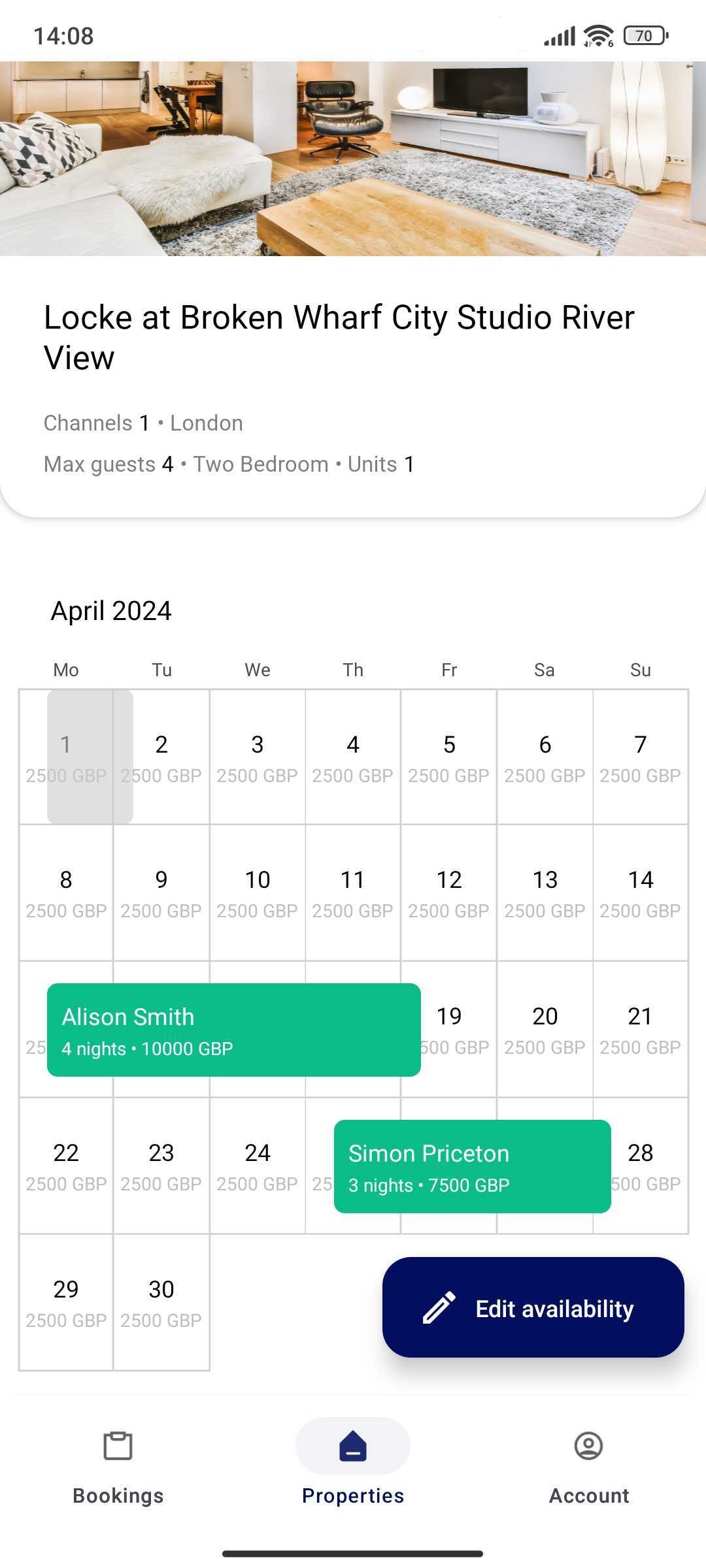 Note that the property's calendar contains only confirmed bookings. If you want to see other bookings, e.g. cancelled bookings or booking requests, go to the Bookings tab.
How to add a new property via Rentals United App?
It is currently not possible to add new properties in the mobile app. Please, log in to new.rentalsunited.com and add a property directly there. Find detailed steps on how to add a new property here.
After you add it in the Rentals United platform, you will see it immediately in the app.
How to edit my property details in the Rentals United App?
Currently, it is not possible to edit the property's details in the Rentals United App. It is only possible to edit the property's availability, that is the calendar. See the instructions on how to block certain dates in your property's calendar (make the property unavailable to rent) here.
If you want to edit other property's details, you can do it directly in Rentals United. Log in to new.rentalsunited.com and edit your property's details directly there. Instructions on how to edit a property can be found here.