Arrival information (N/A)
Arrival information is not synchronized. This information will be always set according to the default data.
-
Number of days - set always to 7
-
Landlord - Solmar Villas
-
Email - *****@solmarvillas.com
-
Mobile - ***** *** 710
If you want to change this, you can update this information directly in the Rentals United platform.
Arrival instructions (N/A)
Arrival instructions are not synchronized. This information will be always set according to the default data.
-
How to arrive: "Arrival instructions will be emailed to you upon confirmation of your booking"
If you want to change this, you can update this information directly in the Rentals United platform.
Pick-up service (N/A)
Normal check-in and check-out times

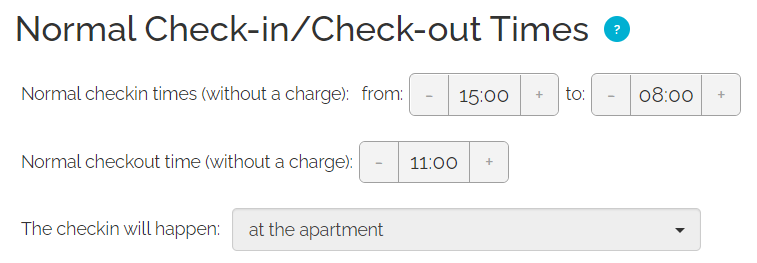
In the Normal check-in and check-out times settings, it is possible to specify the detailed time ranges when guests can check in or check out without any additional charges.
If not provided, Rentals United automatically sets the following information:
Normal check-in and check-out times are partially synchronized, only if they are set in TTS.
-
Check-in-from: Yes
-
Check-in-to: As Check-in-from
-
Check-out: Yes
If the above data is not provided, Rentals United by default sets the following:
-
Check-in-from: 16:00
-
Check-in-to: 16:00
-
Check-out: 10:00
-
Check-in place: At the property
If you want to change this, you can update this information directly in the Rentals United platform.
|
|
Late check-in and early check-out fees (N/A)
