After you receive a reservation from a channel, the important part is how and when you receive the payment. The contract you signed with the channel will determine what form of payment is used.
Please, be informed that Rentals United does not act as any party in the process of charging the guests. The conditions of this process should be agreed between the property manager and the channel themselves.
Remember that the charging options of a specific channel can be checked if you go to Rentals United > Services > My services > Sales Channel > Property settings > Channel settings > How it works > Payments. See the below example.
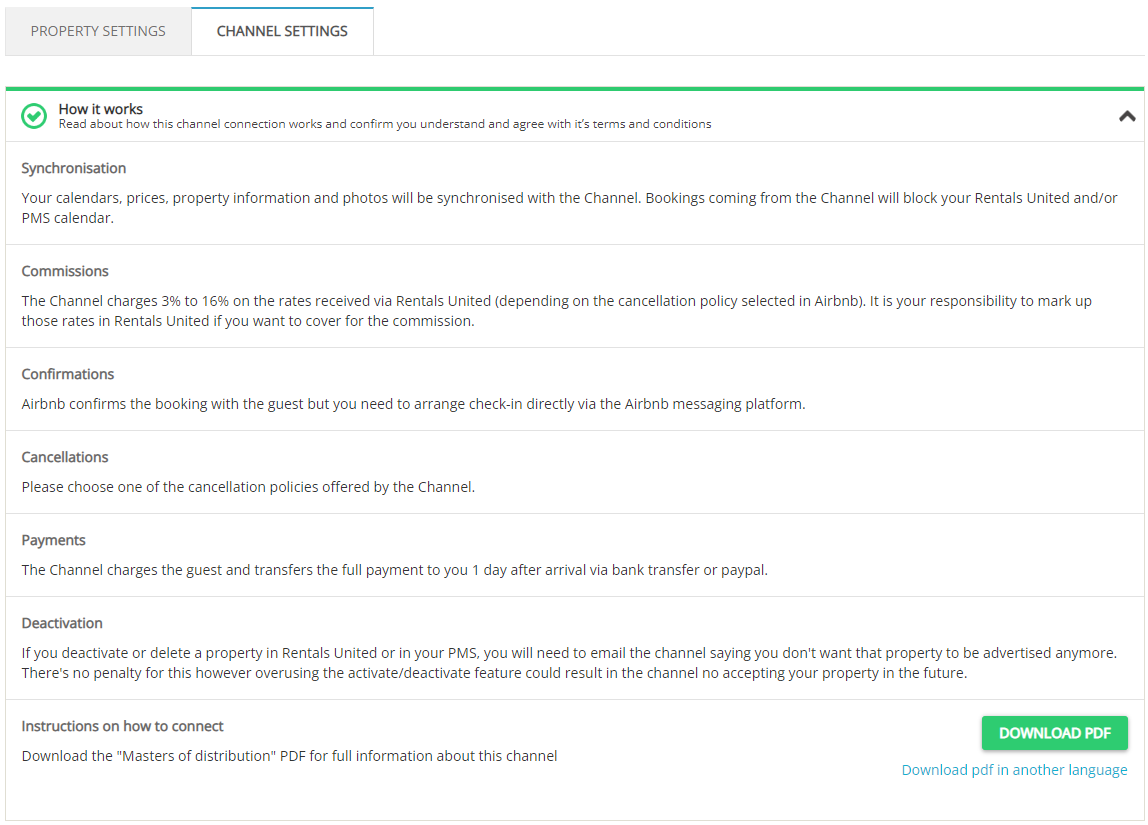
Merchant of record
In channels where you are the merchant of record, it means that you are authorised to receive and manage payments as well as held liable to process the clients' credit / debit card transactions. In this case, you would require to charge the guests yourselves.
You will need a payment provider to process the transaction. You can use any payment provider you like. For simplicity and convenience, Rentals United recommends to use Stripe with which we directly integrate.
Option 1: You charge the credit / debit card of the guest directly. You will receive the card details in the reservation and you can use them to charge your guest according to the payment schedule, e.g. 50% after the reservation is made and 50% prior to arrival.
Option 2: The channel charges the guest and provides you with a virtual credit card. The virtual credit card is open to charge within an agreed time-frame, e.g. after check-in.
Option 3: In rare cases, you can charge the guest in cash upon arrival.
Credit card details can be found in the reservation. Just go to Rentals United > Guest Planner > Select reservation > Booking details > Payments. Use the links to get redirected to some useful articles!
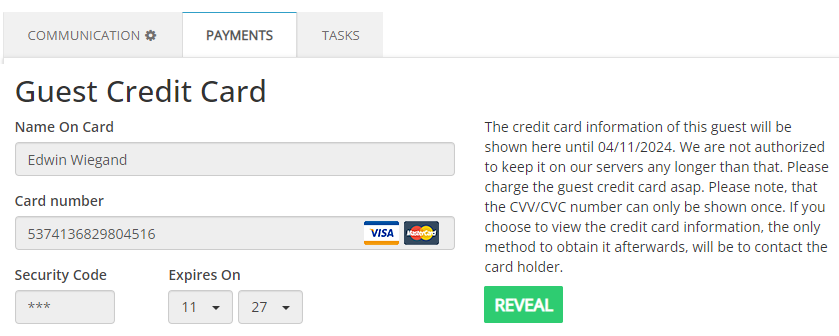
No credit card details displayed in the reservation? Check out what may be the cause here.
Channel
There is also another way to receive payments. If you are not a merchant of record and do not need to handle payments yourself, the channel can collect payments on your behalf.
Option 4: The channel charges the guests and later pays out to you via bank transfer or other payout options e.g. credit card, PayPal etc. The transfer happens within an agreed time-frame. Make sure to provide the channel with your bank details to avoid any delay in payments. This is usually done in the channel's dashboard.