Arrival information

Arrival information refers to the basic PM contact details that can be filled in Rentals United platform and will be available for the guest. It also includes short instructions on the time and forms of contact before the guest's arrival.
In the case of Barefoot:
-
email address and phone number are obtained from My profile
-
days before arrival are not synchronized
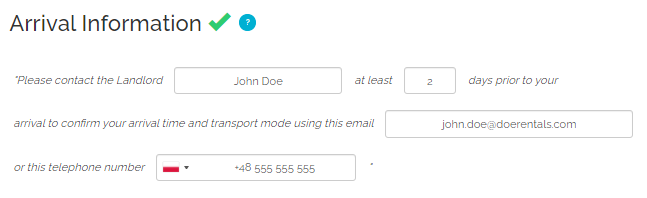
Arrival instructions (N/A)
This element is not synchronized. In case it is mandatory to connect to some Sales Channels or you want to have this information filled in for your property, switch off the synchronisation of this element and update this information directly in the Rentals United platform. Note that if you switch the synchronisation on again, whatever you have in Rentals United will be overwritten with the data from your PMS again.
Pick-up service (N/A)
This element is not synchronized. In case it is mandatory to connect to some Sales Channels or you want to have this information filled in for your property, switch off the synchronisation of this element and update this information directly in the Rentals United platform. Note that if you switch the synchronisation on again, whatever you have in Rentals United will be overwritten with the data from your PMS again.
Normal check-in and check-out times (N/A)
Normal check-in and check-out times are not synchronized. This information will be by default set to:
-
Check-in-from: 13:00
-
Check-in-to: 17:00
-
Check-out: 11:00
-
Check-in place: at the property
If you want to change this, you can update this information directly in the Rentals United platform.
Late check-in and early check-out fees (N/A)
This element is not synchronized. In case it is mandatory to connect to some Sales Channels or you want to have this information filled in for your property, switch off the synchronisation of this element and update this information directly in the Rentals United platform. Note that if you switch the synchronisation on again, whatever you have in Rentals United will be overwritten with the data from your PMS again.