LOS pricing model (N/A)

This element is not synchronized. In case it is mandatory to connect to some Sales Channels or you want to have this information filled in for your property, switch off the synchronisation of this element and update this information directly in the Rentals United platform. Note that if you switch the synchronisation on again, whatever you have in Rentals United will be overwritten with the data from your PMS again.

FSP pricing model (N/A)

This element is not synchronized. In case it is mandatory to connect to some Sales Channels or you want to have this information filled in for your property, switch off the synchronisation of this element and update this information directly in the Rentals United platform. Note that if you switch the synchronisation on again, whatever you have in Rentals United will be overwritten with the data from your PMS again.

Daily price model

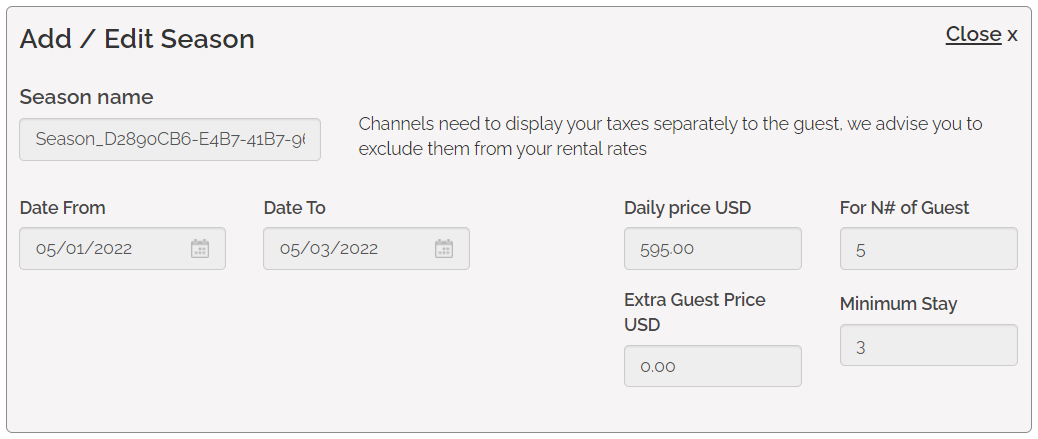
Daily price model calculation is based on the values retrieved from various data fields. It allows for detailed pricing settings if set carefully. Also, Daily price model is based on seasons.

The season refers to a period of time when particular pricing is applied. It is possible to set as many seasons as required, varying in length and specification. The minimum settings require:

  • Season name,

  • Date range,

  • Price.

Daily price

Daily price is the standard way of setting prices. It indicates the base price per night for the Standard number of guests.


Standard number of guests

Standard number of guests refers to the maximum number of guests included in the Daily price for whom the price does not change. If more guests than specified book a stay, the extra guests will be charged with the price set in the Extra guest price element.

Example: If the Daily price includes 3 standard guests, the price stays the same in the case when either one, two or three guests book a stay.

Standard number of guests is the same as the maximum number of guests allowed in the property.


Extra guest price

Extra guest price is the price for guests that are not included in the Standard number of guests. In other words, if the overall number of guests exceeds the Standard number of guests, Extra guest price is applied for each guest above the specified standard.

Example: If the Daily price includes 3 standard guests and 5 guests book a stay, then Daily price is applied for 3 guests, but the 4th and 5th guest need to pay the Extra guest price.

Extra guest price can be synchronised only if the account is properly configured. Please, contact the Rentals United Support Team and request assistance in making sure the Extra guest price is synchronised properly from Barefoot.


Minimum stay

Minimum stay indicates the minimum number of days a reservation can be made for. Guests will be not be able to book your property if they want to book stays shorter than minim stay. This value is mandatory to provide.


Weekend pricing (N/A)

This element is not synchronized. In case it is mandatory to connect to some Sales Channels or you want to have this information filled in for your property, switch off the synchronisation of this element and update this information directly in the Rentals United platform. Note that if you switch the synchronisation on again, whatever you have in Rentals United will be overwritten with the data from your PMS again.

Occupancy pricing (N/A)

This element is not synchronized. In case it is mandatory to connect to some Sales Channels or you want to have this information filled in for your property, switch off the synchronisation of this element and update this information directly in the Rentals United platform. Note that if you switch the synchronisation on again, whatever you have in Rentals United will be overwritten with the data from your PMS again.

Complimentary topics

Discounts (N/A)

This element is not synchronized. In case it is mandatory to connect to some Sales Channels or you want to have this information filled in for your property, switch off the synchronisation of this element and update this information directly in the Rentals United platform. Note that if you switch the synchronisation on again, whatever you have in Rentals United will be overwritten with the data from your PMS again.

Calendar

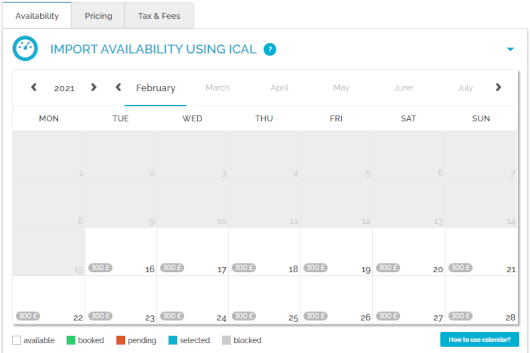
Calendar stands for the property's availability to rent. You can check here the availability of your property in the selected time frames. Once a reservation is inserted in Rentals United, the availability in the calendar gets blocked for this period. The calendar is updated automatically every time the availability of the property changes or at predefined times to remain up-to-date.

Every time availability is retrieved from Barefoot, Rentals United receives it in the following format. The dates indicated by <AvailableBookingPeriods>are available to book.


Preparation Time Before Arrival (N/A)

This element is not synchronized. In case it is mandatory to connect to some Sales Channels or you want to have this information filled in for your property, switch off the synchronisation of this element and update this information directly in the Rentals United platform. Note that if you switch the synchronisation on again, whatever you have in Rentals United will be overwritten with the data from your PMS again.

Changeover restrictions

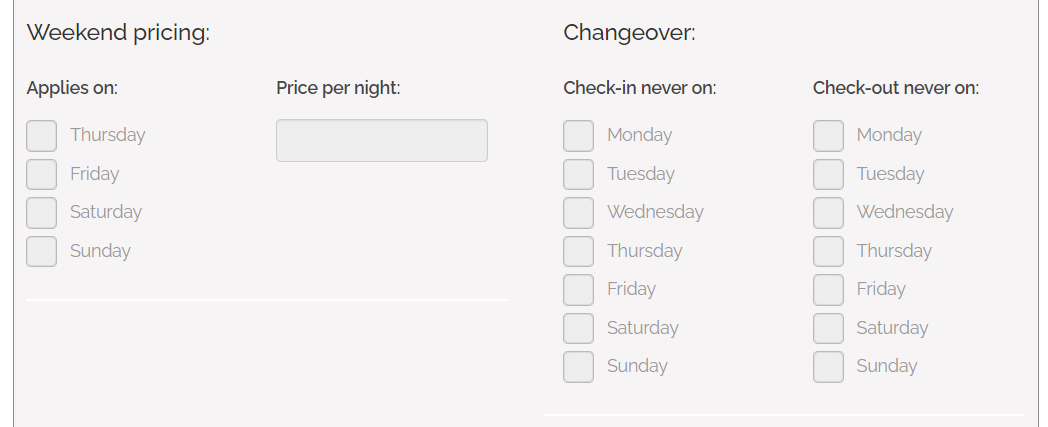
Changeover restrictions specify whether check-in or check-out is allowed for a given day. This is a great option if you need the guests checking in and out to fit your schedule and it will help you avoid unexpected guests. If some days are restricted from changeovers, then your guests will simply not be able to select such a stay if the start or end day falls on a changeover-restricted day.


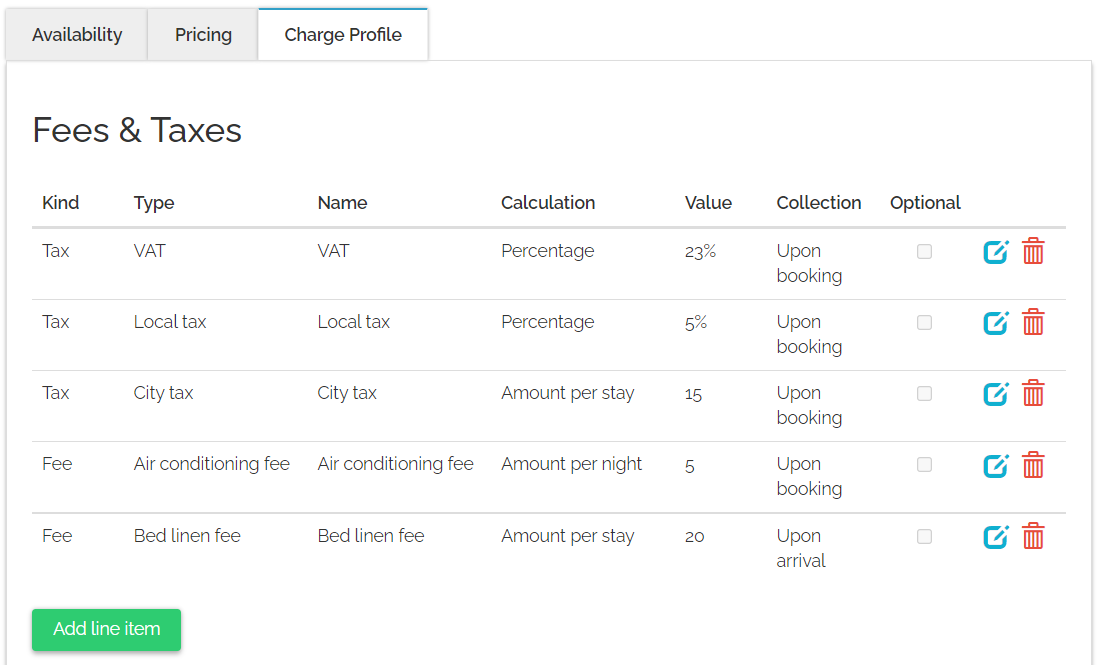
Tax and Fee

Tax refers to mandatory charges legally levied on particular types of goods, services and transactions, paid as a contribution to the state’s revenue, for example VAT or city tax.

Fee refers to mandatory or optional charges paid in exchange for particular services. These include:
  • Charges for additional services, for example Internet access or shuttle.

  • Fees defined by local governments that do not fall into the tax category, for example environmental fees.


Down payment (N/A)

This element is not synchronized. In case it is mandatory to connect to some Sales Channels or you want to have this information filled in for your property, switch off the synchronisation of this element and update this information directly in the Rentals United platform. Note that if you switch the synchronisation on again, whatever you have in Rentals United will be overwritten with the data from your PMS again.

Security deposit (N/A)

This element is not synchronized. In case it is mandatory to connect to some Sales Channels or you want to have this information filled in for your property, switch off the synchronisation of this element and update this information directly in the Rentals United platform. Note that if you switch the synchronisation on again, whatever you have in Rentals United will be overwritten with the data from your PMS again.

Currency

All properties being retrieved from Barefoot always have their currency set to USD. Be aware of this condition when introducing pricing directly in Barefoot. In case you have different currency in Barefoot, then the value will be synchronized, but assigned the EUR currency, which may cause discrepancies in revenue.

RU Internal Icon

Was this article helpful?
0 out of 0 found this helpful