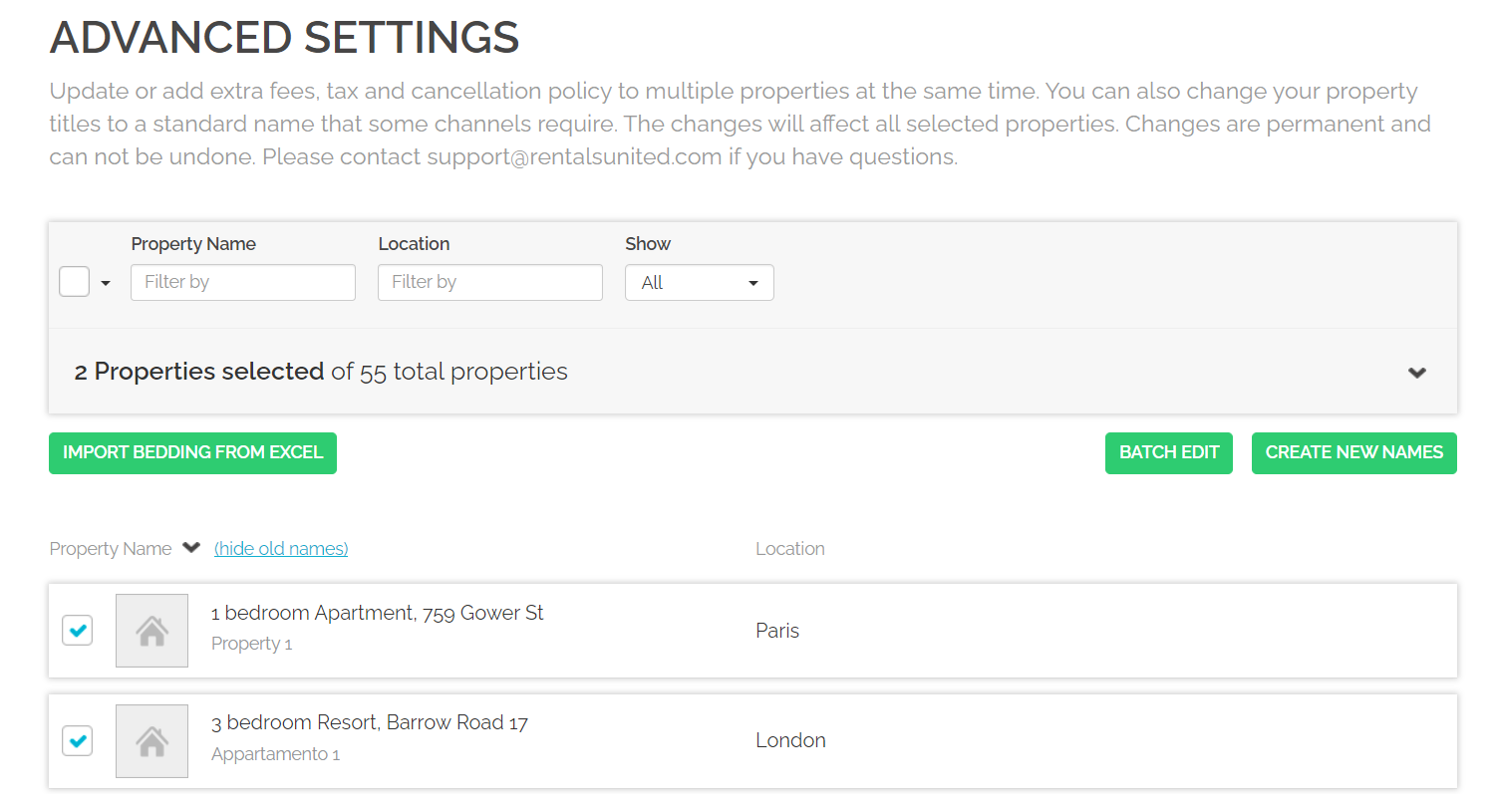
Naming properties is very important for becoming noticed on the sales channels websites. Too general or vague descriptions may not attract a sufficient number of guests and directly impact your revenue. Additionally, some channels require your properties to follow standard naming rules to even accept your properties to be listed.
Hence, Rentals United offers you a feature to auto-generate new names for your properties. The auto-generated name will follow the below formula:
number of bedrooms + property type + street address
-
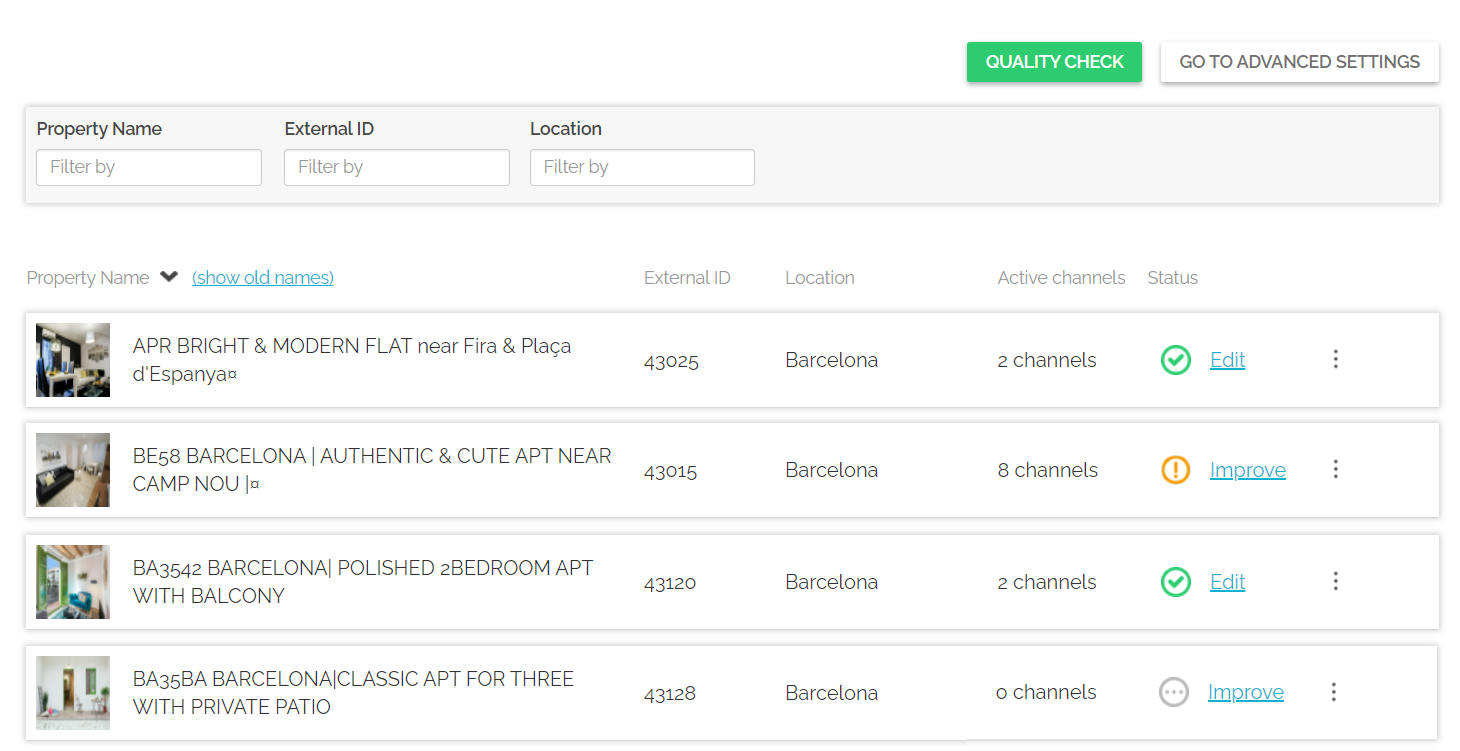
Log in to Rentals United and click on the Properties tab. Select the All properties tab. A list of all your properties gets opened.
-
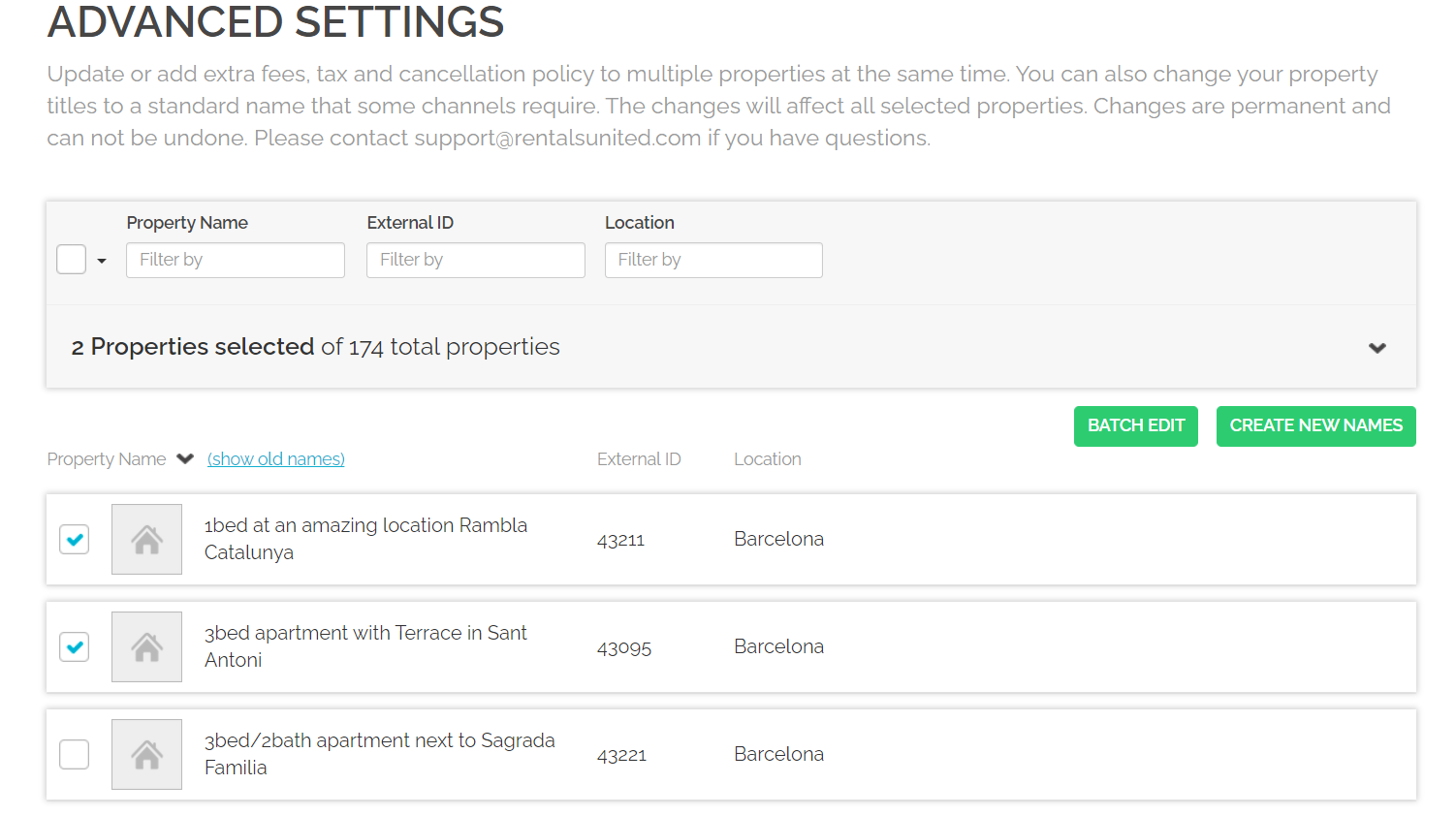
Click Go to advanced settings button. The list of your properties is displayed. Select the ones that you wish to update and click the Create new names button.
-
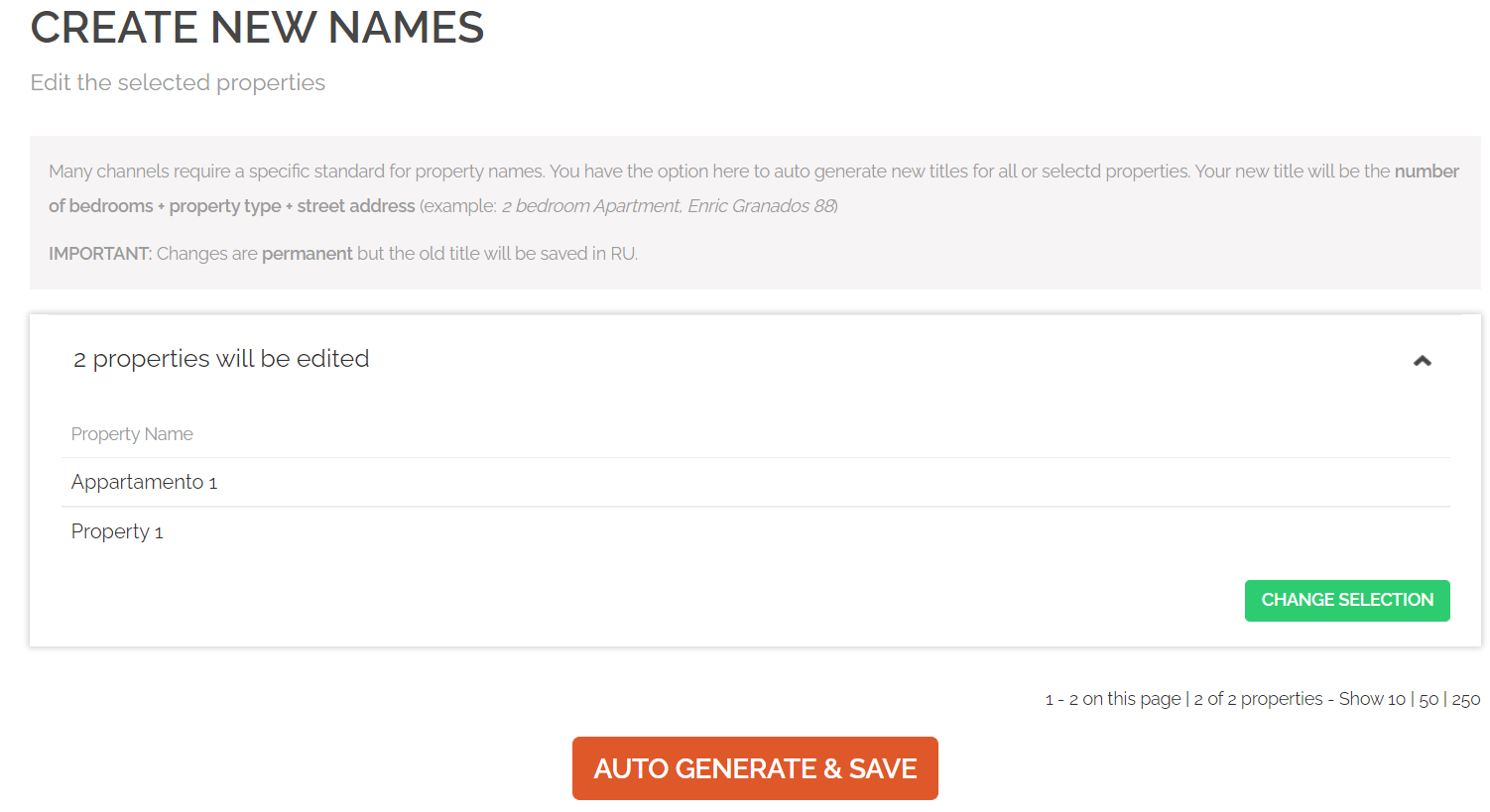
A list of properties selected for this change is displayed. If you need to change the selection of properties at this point, you can click Change selection button and you will be moved back to the previous step and allowed to correct your selection.
-
Click the Auto-generate & Save button. You will be asked to confirm the operation. Once updated, the property list is refreshed.
Tip: Note that the change is permanent and can be reverted only manually. Nonetheless, you will be able to switch the view in All properties to the old ones, if needed. To do this, click the Show old names button above the property names.