How can I set Vrbo Cancellation Policy?
You can set your Cancellation Policy in Vrbo according to the needs of your business. We offer a few options and all of them are described here: Cancellation Policy.
Why the booking price is not consistent throughout the booking process?
Price consistency means that the price a guest sees for a property in the Vrbo search page will remain the same from the search to the checkout. This is to ensure a good traveler experience and show an accurate price to the traveler without any surprises added in the end of the booking process, for example extra fees.
If the price for your property increases too much from the search page to the checkout page, many guests will not book. That is why being price consistent will increase your bookings.
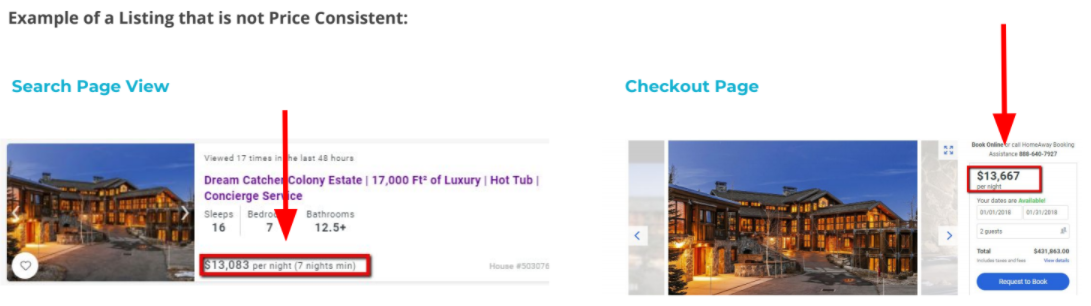
The Vrbo implementation team will check the rate accuracy between the search and the checkout page before enabling you on price consistency.
If the rates are not consistent between the search and checkout page, it will be your responsibility to ensure that data in Rentals United and / or the PMS are consistent. Once the rates are consistent , Vrbo will enable the listings on price consistency.
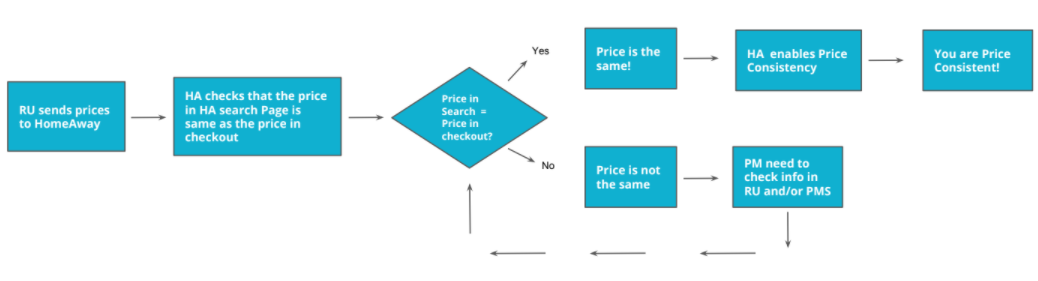
There are a few reasons as to why a different price can be returned from the PMS:
-
Dynamic pricing tool in the PMS. Please, inform Vrbo if you are using a price tool, as your prices will probably never be consistent. Vrbo will still put your listings live, but will not enable you on price consistency.
-
Extra fees or taxes enabled in the PMS cannot be synchronized to Rentals United. Sometimes, due to limitations in your PMS’s API, not all the fees may be sent to Rentals United. Check the data in PMS and the data in Rentals United. If you see fees missing, the solution is to add them manually in Rentals United, so that you have the same information in both platforms. If this is the issue, contact your Rentals United Account Manager, so that you are guided through the process of synchronizing the data.
-
Prices are not coming through correctly to Rentals United from the PMS. It has to be verified if the prices are coming through correctly to Rentals United.
-
The PMS adds some mark-up that is not synchronized to Rentals United. If you have mark-up in your PMS, then you should remove it and keep the one you have in Rentals United.
-
Currency exchange issue. Different currencies may be used in your PMS, Rentals United and Vrbo. Unify them.
If you have checked all of the steps and you still cannot find the reason why your prices are not consistent, contact the Rentals United Support Team. We will check then if there are any technical problems causing your prices to be inconsistent.
Why are the prices incorrect or no prices in the HRW channels?
If incorrect pricing or no pricing at all is available on the extranet websites of the HRW channels (Holiday Reservation Website), then it is recommended to first try to manually re-push properties or re-activate the connection to Sales Channel. Then, if the prices are still incorrect or there are no prices in Sales Channel, please contact the Rentals United Support Team.
-
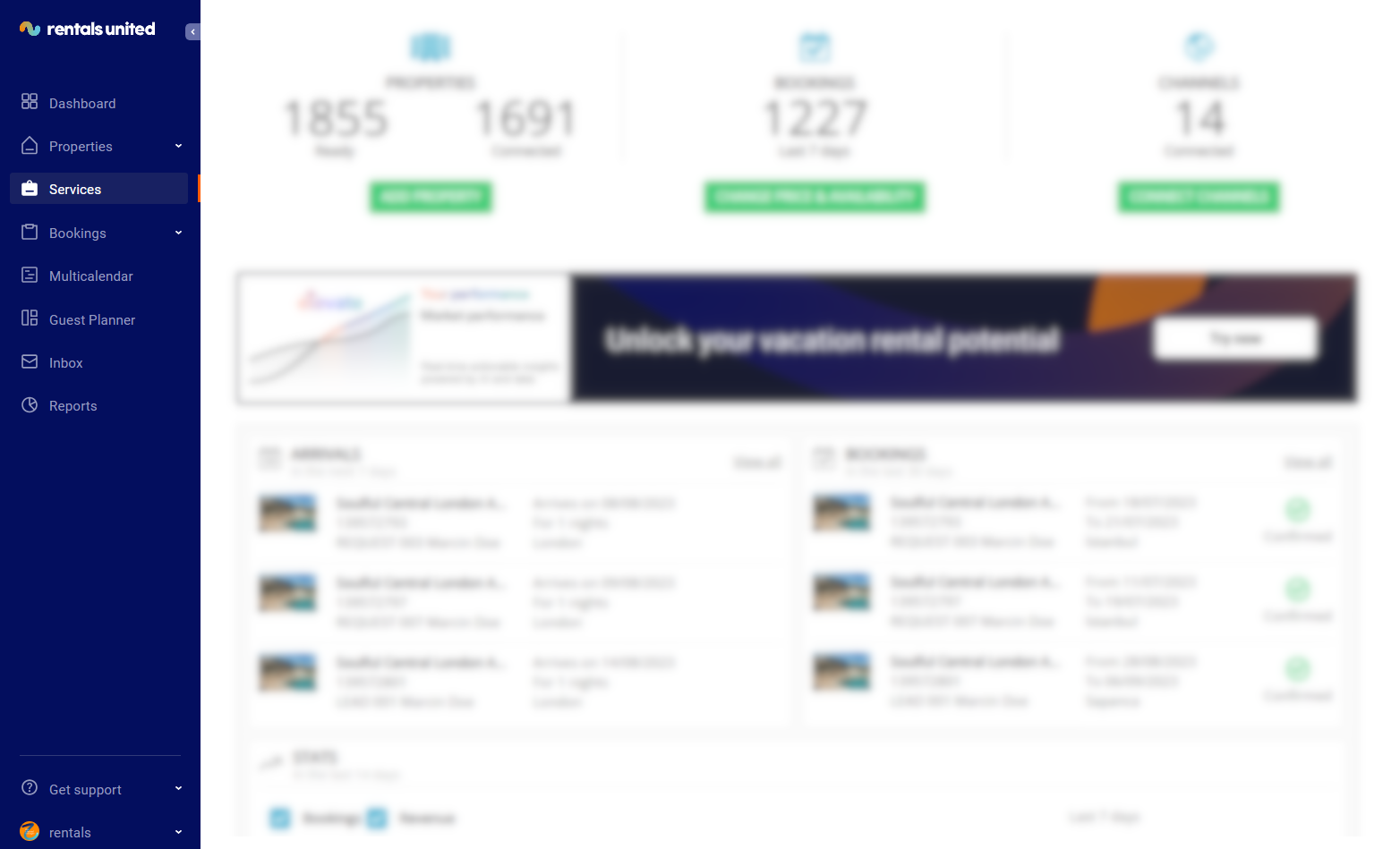
In Rentals United platform, go to the Services tab.
-
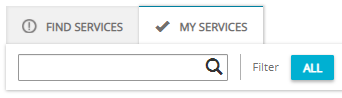
Select the proper list to search for Sales Channel.
-
Find Services lists the channels you are not yet connected to,
-
My Services lists the channels which you have already established connection with and channels that are in the process of being connected.
-
-
Type the Sales Channel name in the search box or scroll down through the list of available channels.
-
Unfold the Sales Channel section by clicking the Down arrow button.
-
Click the Property Settings button.

-
The Property List opens.
-
Click the Deactivate button.

-
The status changes from
 Active to
  Not connected.
 -
Click the Activate button.

-
The status changes from
Not connected to  Pending.
Can a reservation be cancelled or modified in Rentals United platform?
Yes, the reservation for Vrbo can be both cancelled and modified from the Rentals United platform level. For more information, please see Reservation modification and Reservation cancellation.
Why are my properties not in Vrbo?
If the properties are not visible on the Vrbo website, make sure that they are connected. After the Connection Wizard has been completed, you are prompted to visit the Vrbo website. Ensure that you come back to the Connection Wizard and activate the connection. For more information, please see Connecting new property to Vrbo or Create new listing in new design.
How to charge guests?
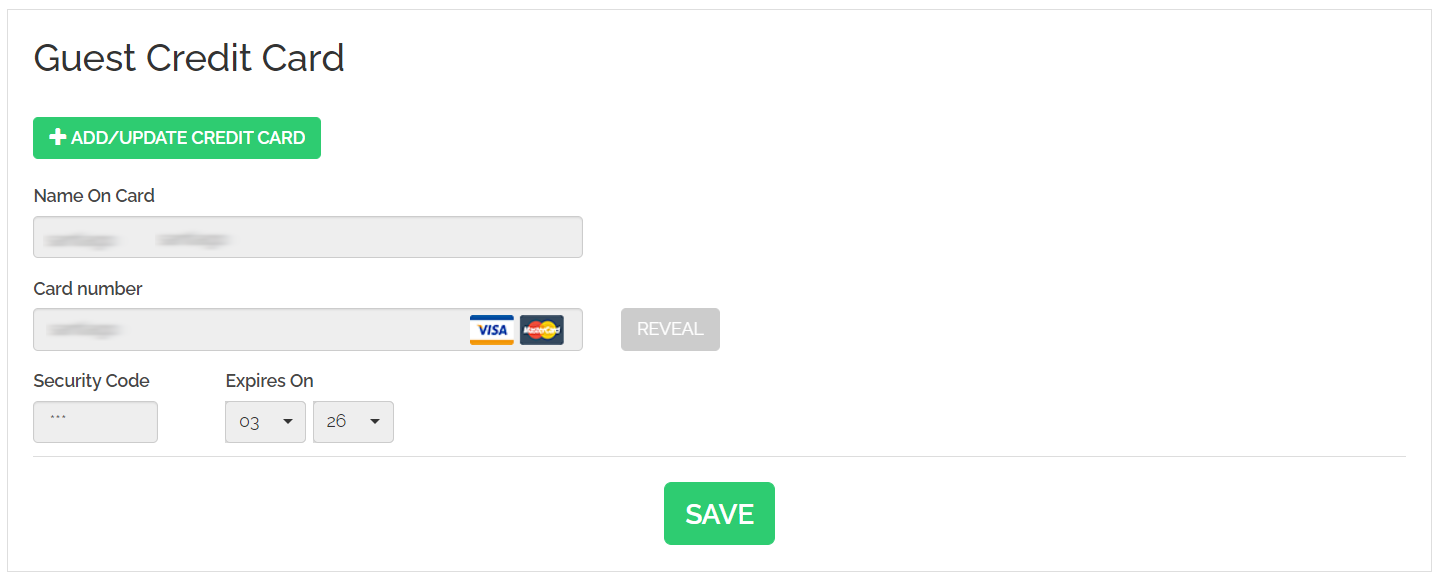
In case of Vrbo, the you responsible for taking the payment. To do so, you can use any payment processor to charge the guests. Rentals United is integrated with the payment provider Stripe. For more information, please see Contract details.
Does VRBO support longer mid- to long-term booking?
Yes, it does. For more information, please see LOS pricing model.
Can I choose which property I want to connect to Vrbo?
Yes, you can. For more information, please see Create new listing or Create new listing in new design.
Can I restore a cancelled reservation?
No, Vrbo does not allow to bring a reservation in the "cancelled" status back to "confirmed". In case you need to do that, create a new reservation on the basis of the cancelled one.
Can I switch from full synchronization to partial?
The synchronization with Vrbo is by default full. This means that upon connection through Rentals United, the content you may have had in Vrbo will be replaced. If you want to manage the content in Vrbo directly instead then, you need to mention this to their account manager in Vrbo, so that they can stop syncing certain data points.
If I choose another currency, will the pricing on Vrbo be incorrect?
If you select another currency than the one you have in Rentals United, we will convert your prices to the selected Vrbo currency.
If I choose another currency and the pricing is converted to the selected currency, who pays for the conversion of this if the exchange rate fluctuates?
You make an offer in the Vrbo currency and the guest is obliged to deliver the amount in the Vrbo currency.
The currency I would like to use on Vrbo is not available. Can you add it?
Unfortunately, we cannot. Available currencies are the ones supported by Vrbo.
How can I use different pricing model in Vrbo?
Vrbo supports three pricing models:
-
Daily price
-
LOS pricing
-
FSP pricing
By default, it is Daily price model which is sent to Vrbo (unless you are a PMS user and requested it to be different already during the onboarding). However, if you want to switch the pricing model, you can do it any time. Please
Where can I find Vrbo Advertiser ID?
You can find your Advertiser ID in the Channel Settings. See Advertiser Manager.